Make the music for your videos, streams and beats yourself, then export it the way you need it: a showcase video of your notes, the exact length for a clip, a version to talk over, and kits for your stream and your beat store.
Fledgetone makes your music, not your video or your stream: edit and go live with the tools you already use, and bring the music from here.
Free, in your browser or as an app. No account, and nothing is generated by AI: you write the music.
Showcase videosShow people how you made it
Showcase
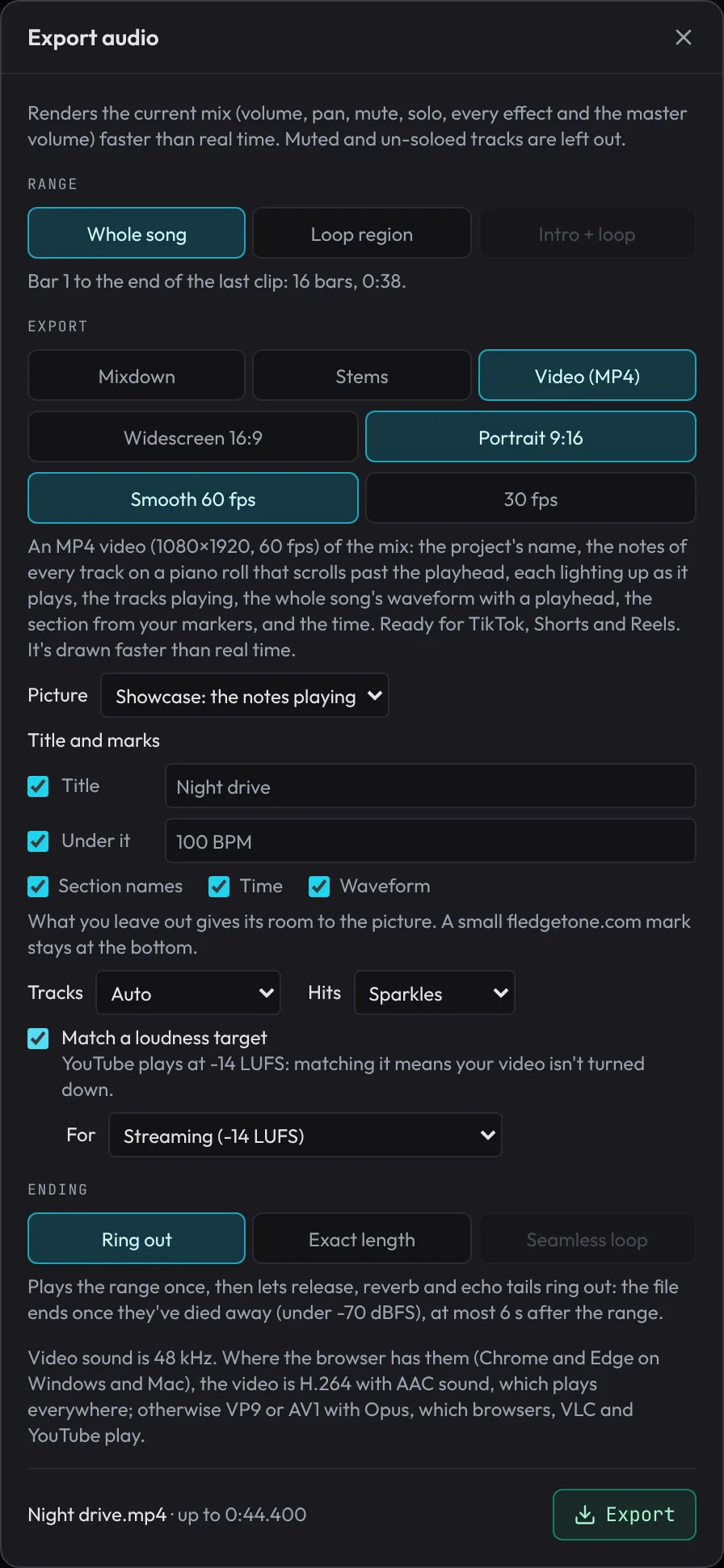
A video of your song, made in one click
File › Showcase video exports your song as an MP4 where every note slides past a red playhead in its track's colour and lights up as it plays, with your title, the waveform and the time. Tall for phones or wide for everything else.
Smooth 60 fps and made at a high quality, so it stays sharp after a video site compresses it again. Hide whatever you don't want shown, from the title to the waveform; mute a track and it's left out of the picture too.
Portrait 9:16 or widescreen 16:9
Your own title and the line under it
One roll for every track, or a lane each
Or put your music on your own video
Lengths
Every length you need
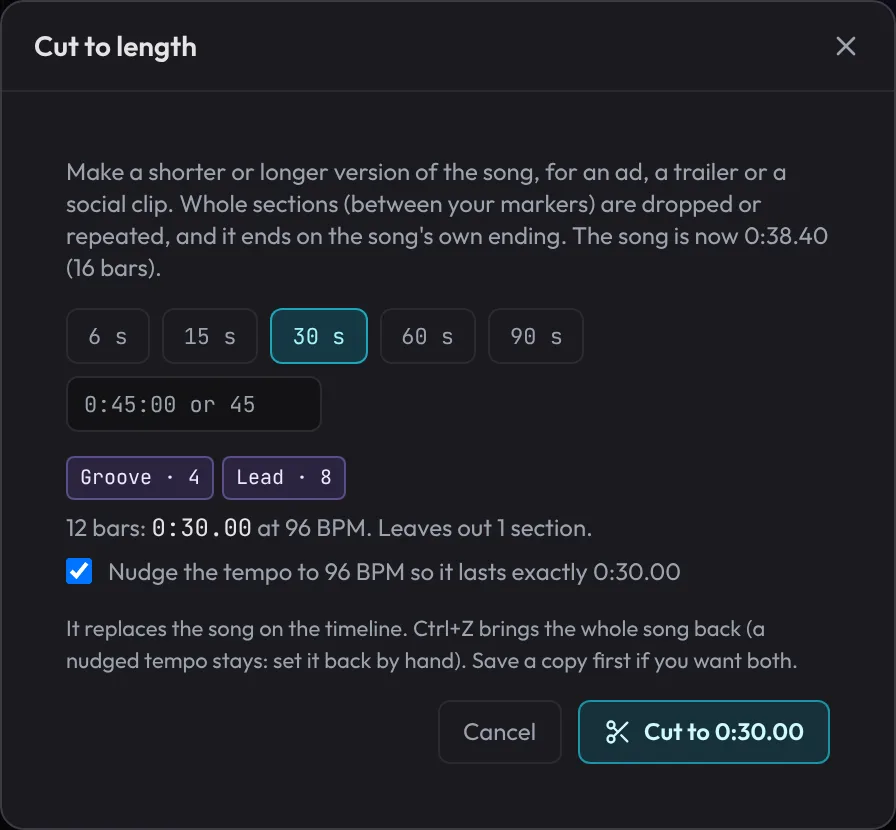
Cut to length makes 6, 15, 30, 60 and 90-second versions of a song for an ad, a short or a story. It leaves out or repeats whole sections, so every edit falls where the music changes anyway, and it always ends on the song's own ending.
It can nudge the tempo a little so the version lasts exactly as long as you need, to a hundredth of a second.
Keeps the parts that matter: the chorus, the drop
Every edit on a bar line
One Undo brings the whole song back
Under your voiceMusic that makes room for you
Talking, singing or narrating over your music? Export it the way your video needs it.
A version to talk over
Export the song with an underscore version next to it: the same music without the lead melody, so it sits under your voice. A no-drums version too, for a calmer moment.
Dips when you speak
Load your own video and Dip under dialogue listens for voices and turns the music down for each line, then back up after. You can see and move every dip.
The right loudness
Match the level to where it's going: Streaming (-14 LUFS, the level YouTube plays at), Podcast and voice-over (-16 LUFS) or Loud for club music.
On your own video
Put the music on your MP4, where it sits on the timeline, and keep the video's own sound under it if you like.
Any format
WAV, MP3 or Ogg, the whole song or just the loop, stems for every track, or a link that opens your song in Fledgetone.
Sound effects too
Whooshes, risers, hits, notification pings and ambience from the sound effects maker, in the same project as your music.
Streams and beatsKits for your channel and your store
Channel kit
Music for your whole stream, from one song
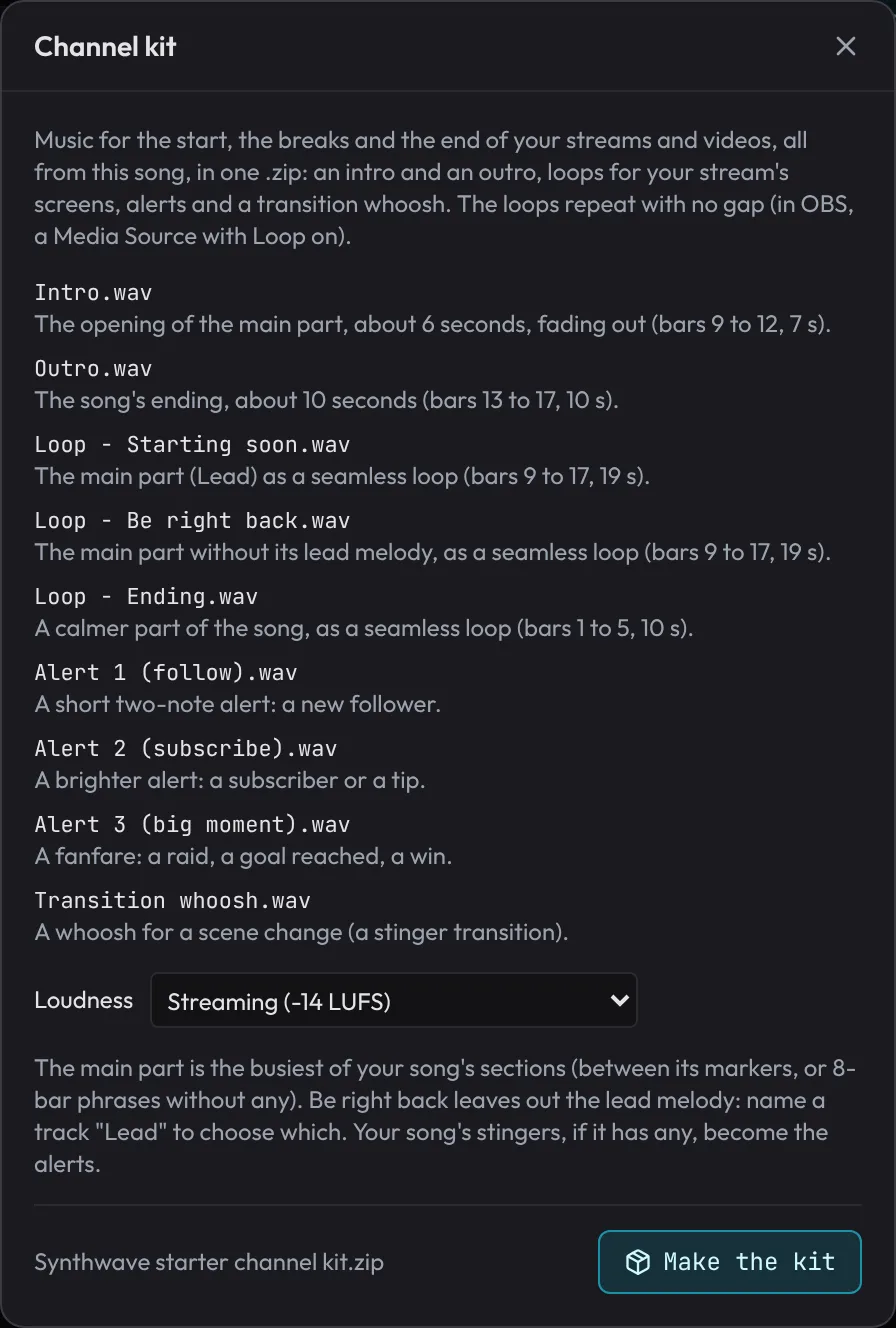
File › Channel kit makes an intro and an outro for your videos, seamless loops for your stream's Starting soon, Be right back and Ending screens, three short alerts for a follow, a subscribe and a big moment, and a transition whoosh, all from the same song so they belong together.
The loops repeat with no gap in your streaming software, and every file is a 48 kHz WAV at one matched level, so you set the volume once.
Intro and outro
Starting soon, Be right back and Ending loops
Three alerts and a transition whoosh
Beat store
Everything you need to sell a beat
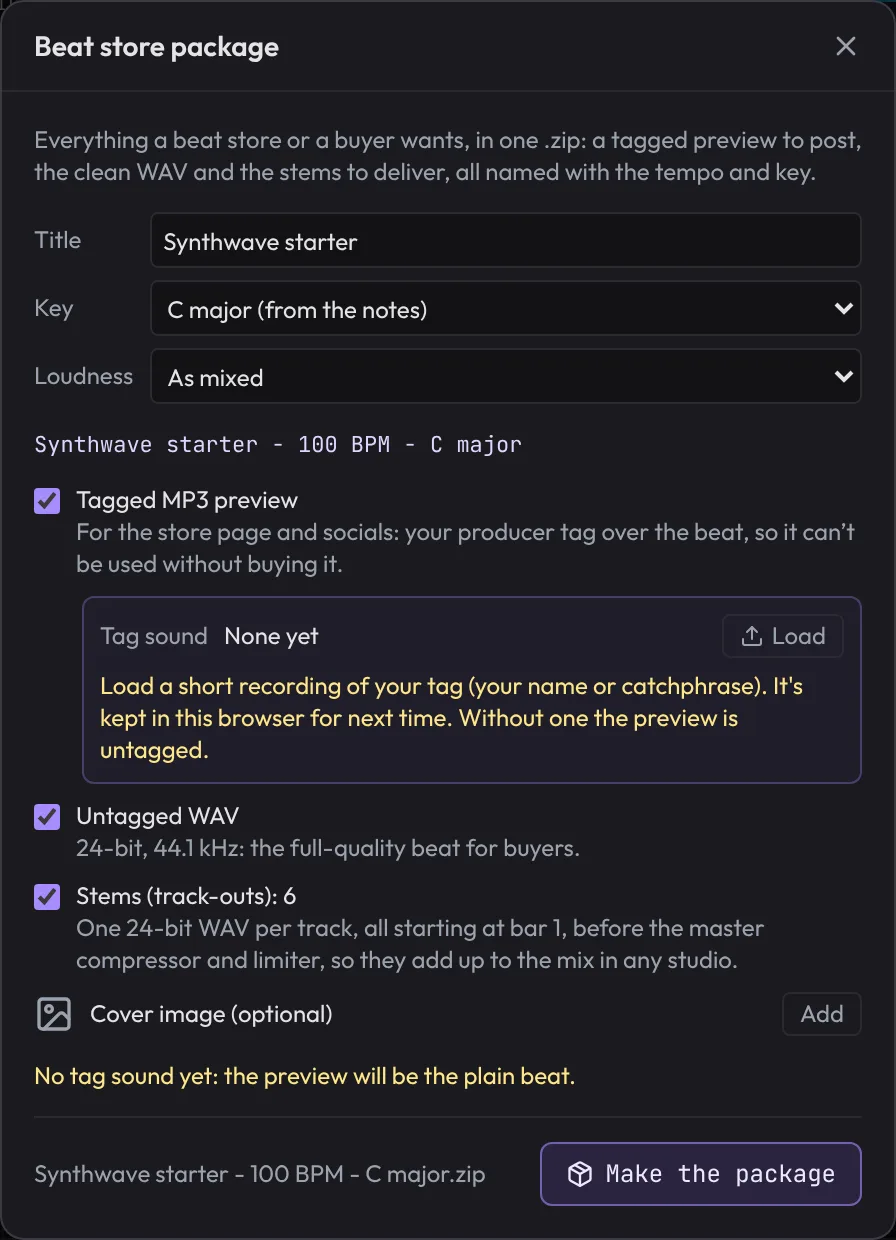
File › Beat store package makes a tagged MP3 preview for your store page and socials, the clean WAV and the stems (track-outs) for buyers, and an info file, all named with the title, tempo and key.
Record your producer tag once (Song › Arrange a beat › Producer tag) and it's laid over the preview at the start and as often as you like, with the beat dipping under it.
Tagged MP3 preview
Untagged 24-bit WAV and stems
Named with the tempo and key, cover image optional
PocketCatch the idea on your phone
Pocket
Start on your phone, finish on your computer
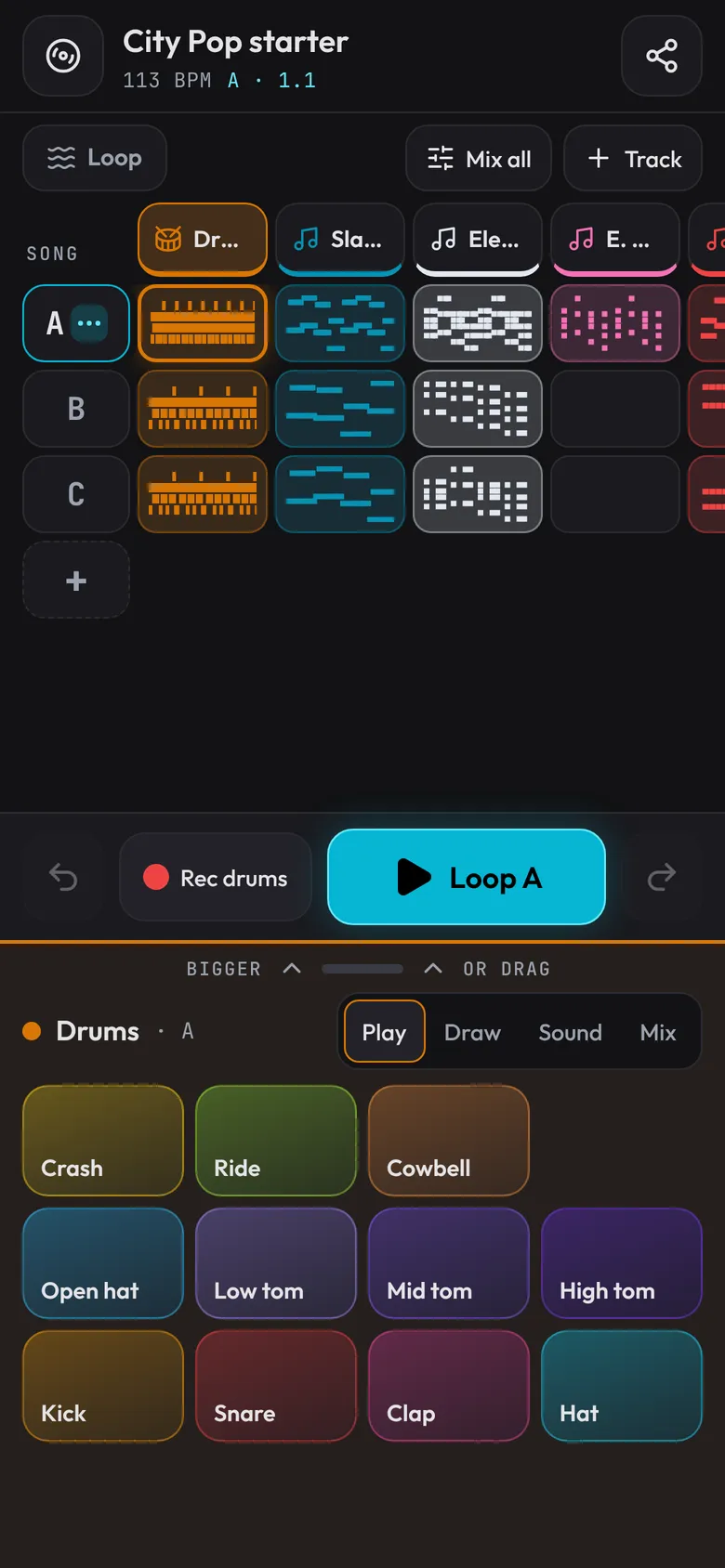
Open fledgetone.com on a phone and you get Pocket: tap in a beat on pads, add chords and a bass line, sing over it and share it. The same song opens in the full studio on a computer, as it is.
Pads, steps and a piano roll made for a thumb
Record your voice over the loop
An early version: the studio does more
StartersStart in the style you make
Open a starter, press Space, and pull it apart: change the notes, swap the sounds, make it yours. Nothing is generated from a prompt; every note can be changed.
Free, open source and private: no account, and your songs stay on your computer. Works best on a computer with a keyboard and mouse. Back to the home page