Write a soundtrack that changes with the player: sections that become game states, layers that build with the action, stingers for the big moments and the sound effects, then drop it all into Godot, Unity, a web game, FMOD or Wwise.
Fledgetone makes the music and the sounds, not the game: you build your game in your own engine and drop them in.
Free, in your browser or as an app. No account, and nothing is generated by AI: you write the music.
Film: AI-generated. Music and sound effects: made in Fledgetone (download the project).
Try it in a game
Hear it react before you ship.
Try it in a game drops your song into a game right in the studio. Walk into danger and
hear it switch states, build up and play your stingers, the way your own game will.
Pick a 3D arena, a 2D platformer or a rhythm game made from your song's own notes.
2D platformer
A blob that spots you switches the music to its chase state and builds the intensity; reach the flag for the win stinger.
Rhythm game
Your song's own notes become the chart: kicks on one side, snares on the other, the tune across the middle. Easy, Normal or Hard.
Adaptive musicMusic that follows the player
States
Sections become states
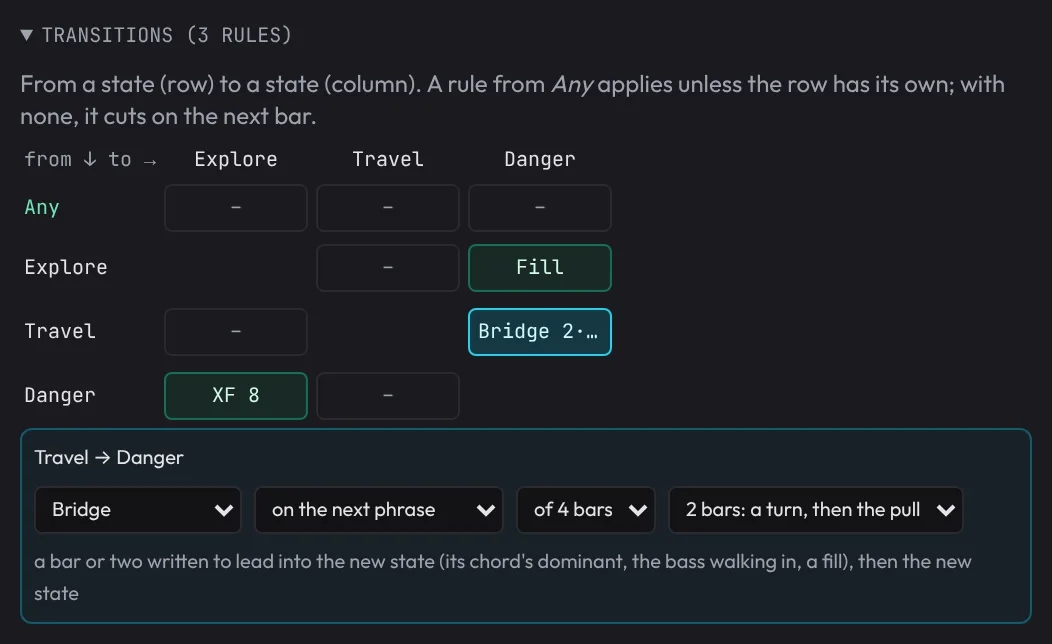
Put markers between the parts of your song and each one becomes a state the game can switch to: Explore, Combat, Boss. The Game tab rehearses it: click a state and the music moves there on the next bar, beat or phrase, and loops it.
The transition matrix sets how every state hands over to every other: a cut, a drum fill, a riser, an impact, a crossfade, one of your stingers, or a bridge of a bar or two written from your song to lead into the next chord.
Switch on the next bar, beat, phrase or at once
Fills, risers and bridges on your own instruments
Shuffled pieces and silences, so a long loop never wears out
Intensity
Layers that build with the action
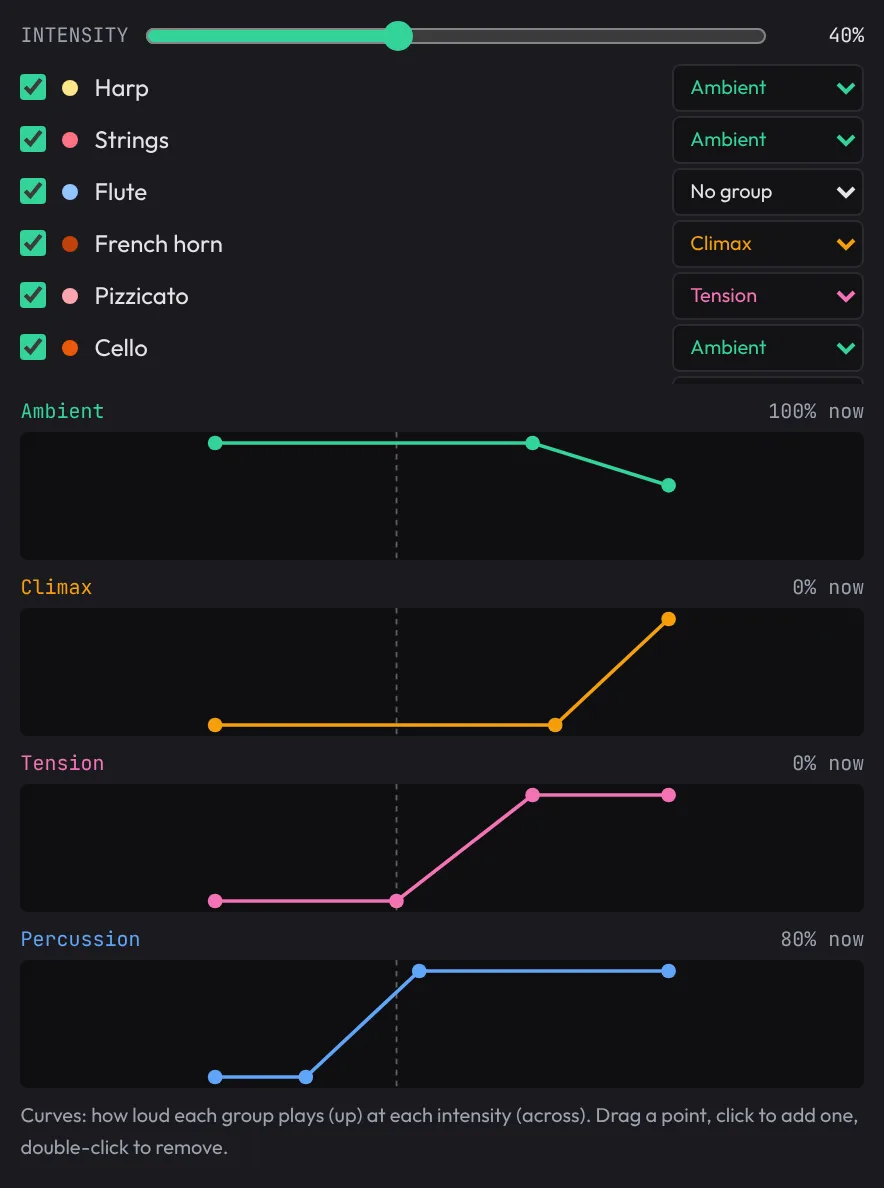
Put your tracks in stem groups (ambient, tension, percussion, climax) and draw how loud each plays as the intensity rises. One number from the game, from 0 to 100%, brings the drums in for a fight and the strings in for a discovery.
A parameter moves several things at once from one value the game sets, such as danger or health, and effects like underwater, muffled and low health colour the whole mix.
A curve per stem group
Parameters and effects the game controls
Costumes: the same music played another way
Stingers
Stingers for every moment
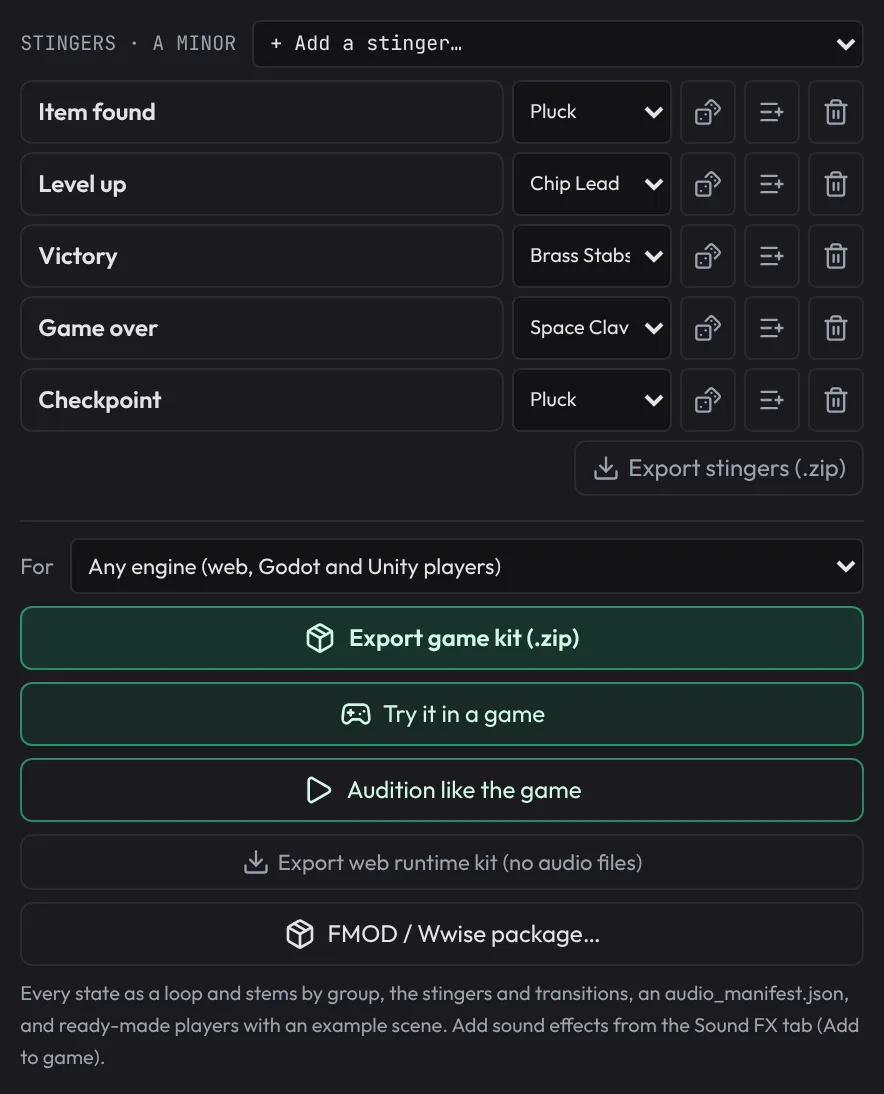
Short cues in the song's key and tempo for an item found, a level up, a checkpoint, a victory or a game over, played on the beat over whatever is playing.
Audition like the game renders every state exactly as the game kit exports it and plays it with the kit's own player, so what you hear in the studio is what ships.
In the song’s key and tempo, on the beat
Audition with the real player, effects and all
Every stinger exported as its own file
Sound effectsThe sounds games are full of
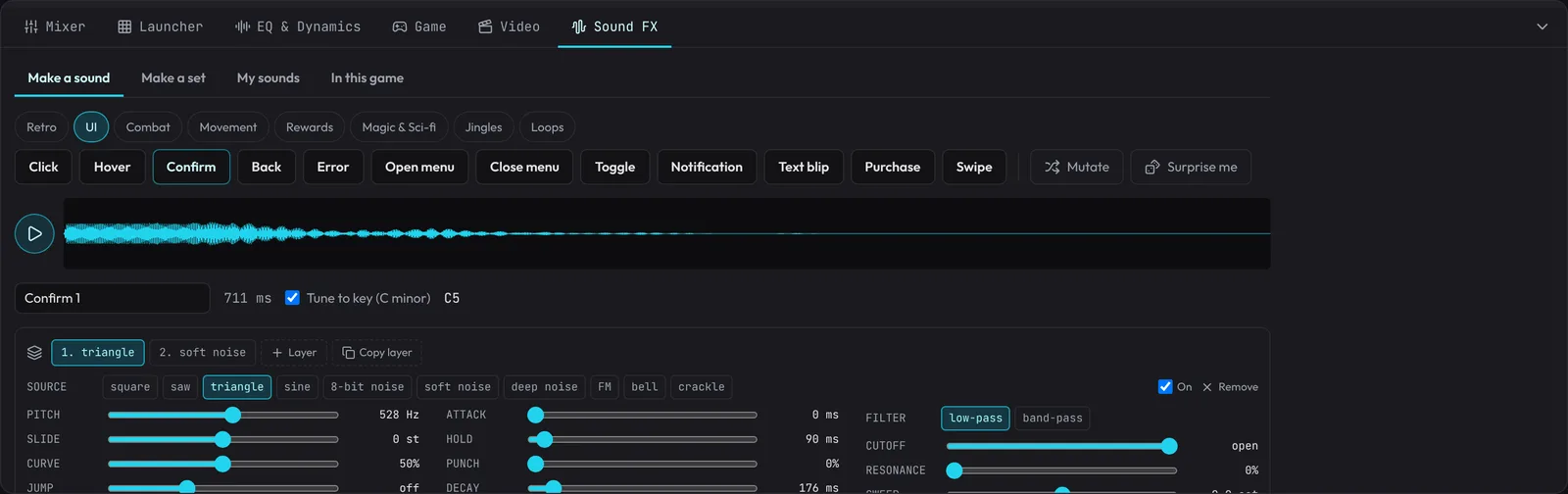
Sound FX
Make a sound, then a hundred like it
The sound effects maker makes menus, hits, pickups, magic, footsteps, jingles and ambience loops: pick a kind (Coin, Sword hit, Level up, Teleport, Rain, Forest...) and every click makes a new one. Many are built on real recordings of the thing itself, with a modern engine for clean, stereo sound.
Add to game keeps a sound with your song, and the game kit carries it with its variations, so footsteps and sword hits never sound like the same sample twice.
Over 100 kinds in 12 groups, from UI clicks to thunder
Recorded layers (public domain) for real footsteps, hits and nature
Variations, seamless loops and even loudness across a set
ExportStraight into your engine
Export game kit makes one .zip with everything the game needs: every state as a
seamless loop, the stems, the transitions and bridges, the stingers, your sound effects, a
manifest, and a player that follows your rules.
Godot 4
Unzip it into your project: a player, your song and an example scene. Press F6 and play the states, intensity and stingers from the keyboard.
Unity
Unzip it into your project: everything lands in Assets/Fledgetone, with an example component that gives you a button for every state and sound.
Web games
A JavaScript player for the browser, or the web runtime kit: the song plays live from its project, with no audio files to download.
FMOD and Wwise
A package with your loops and stingers and scripts that set up the events, ready to import.
Plain files
An intro and a seamless loop with loop points, or every track as a layer, all the same length. They work in any engine.
# In Godot, with AdaptiveMusic.gd as an autoload called Music
Music.load_song("res://bos_music/my_song/")
Music.play("Explore")
Music.set_state("Combat")     # switches the way your transition rules say
Music.set_intensity(0.8)      # bring the layers in
Music.stinger("Victory")
Music.play_sfx("Coin")
Music you make is yours to use in your game. A few recorded drum kits come from a collection with no stated licence, so for a commercial release the credits say which to swap.
StartersStart from a song
Open a starter, or a song of your own: its sections are the states in the Game tab. Set the transitions, the intensity layers and the stingers, then export. Change the notes and the sounds, and it's yours.
Free, open source and private: no account, and your songs stay on your computer. Works best on a computer with a keyboard and mouse. Back to the home page