Learn Lesson 12
Make music on your phone
Open Fledgetone on a phone and you get Pocket: the same instruments, effects and songs as the studio, on one screen made for a thumb. In this lesson you'll make a short house song on it: a beat you tap in with a finger, off-beat chords, a bass line, a vocal if you like, then a build-up and an MP3 to send.
Be clear on one thing first: Pocket is in its early stages, and the studio on a computer is much better. Some things are missing on the phone and some may not work as they should yet. Pocket is for sketching an idea on the bus; the studio is where you finish it. Every song you start on the phone opens on a computer exactly as it is, so nothing is lost by starting small. The guide lists what Pocket has and what it leaves out: Fledgetone Pocket: on a phone.
The screen
Open fledgetone.com on your phone. A notice says Pocket is an early version; tap Continue (tick Don't show this again if you've read it). Everything is on one screen:
- At the top, the song: its name, tempo and where it's playing. Tap it for the song's settings; Share is on the right.
- The grid is the whole song: a row for each section (A, B, C…) and a column for each track. Each cell shows what that track plays in that section.
- The transport: undo, Rec, Play and redo.
- The drawer at the bottom is the instrument of the cell you tapped. Its handle makes it bigger or smaller.
Start a song
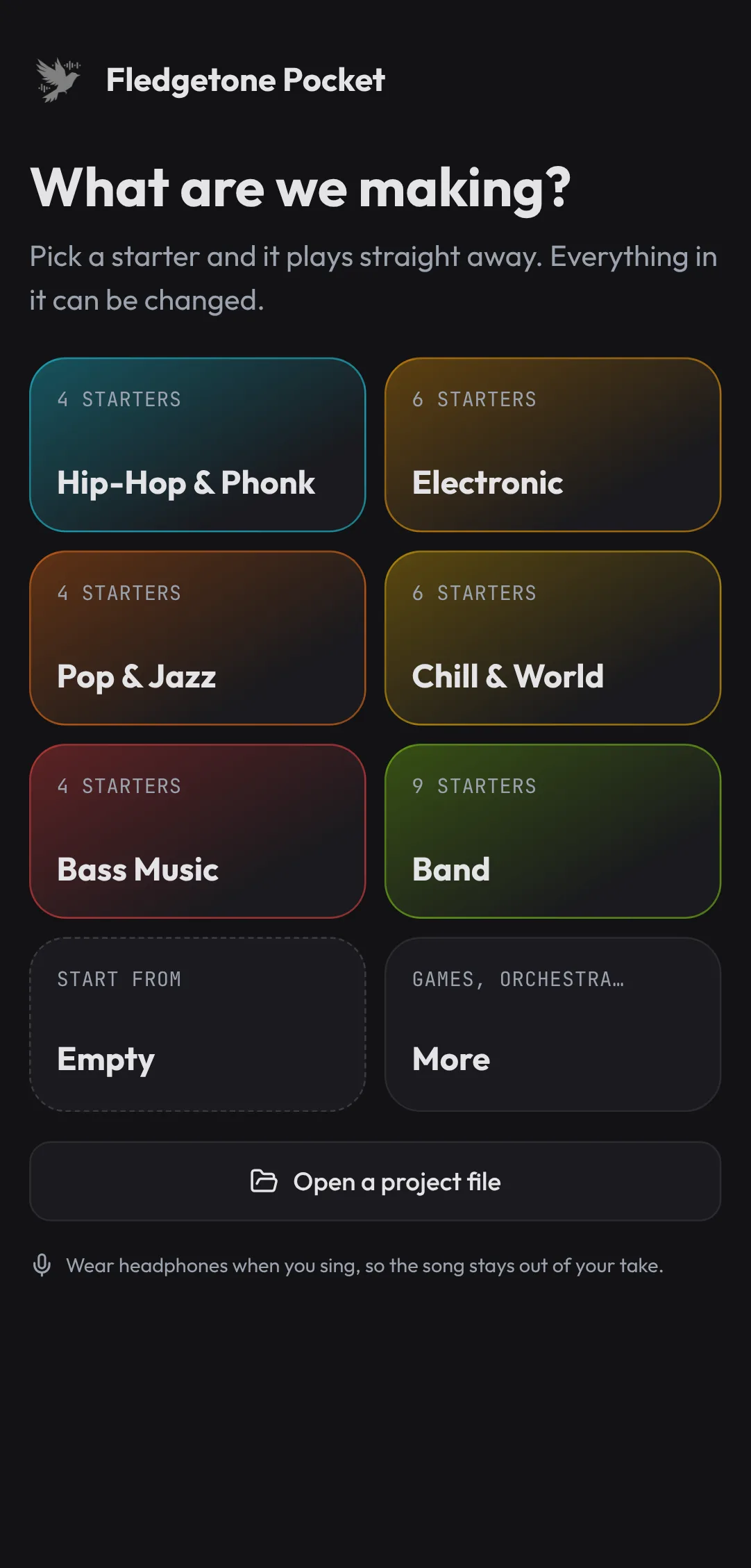
- Pocket opens on What are we making? (if it opened your last song, tap the round button at the top left).
- Tap Blank song. You get four tracks with nothing written yet: Drums, Slap Bass, Space Clav and Brass Stabs, at 122 BPM, and one section, A, four bars long.
- Tap the song's name at the top (Untitled), call it Pocket House, and set the Key to A minor. Close the sheet with the X.
Tap in a beat
- Tap the Drums cell in row A. The drawer becomes the drums: big pads, laid out like a classic pad sampler, with the kick, snare, clap and hat along the bottom.
- Tap Draw in the drawer. Now it shows one drum at a time, and its 16 steps for one bar, four to a row (a row per beat).
- With Kick picked along the top, tap steps 1, 5, 9 and 13 (the first of each row).
- Pick Clap and tap steps 5 and 13.
- Pick Hat and tap all 16 steps.
- Tap Copy to all bars: bar 1's beat is now in all four bars of A.
- Tap Swing once (15%). The hats now lean back a little instead of ticking like a clock.
Press Play (it says Loop A: it plays section A over and over). Here's the beat:
| 1 | 2 | 3 | 4 | |||||||||||||
|---|---|---|---|---|---|---|---|---|---|---|---|---|---|---|---|---|
| Kick | ||||||||||||||||
| Clap | ||||||||||||||||
| Hat |
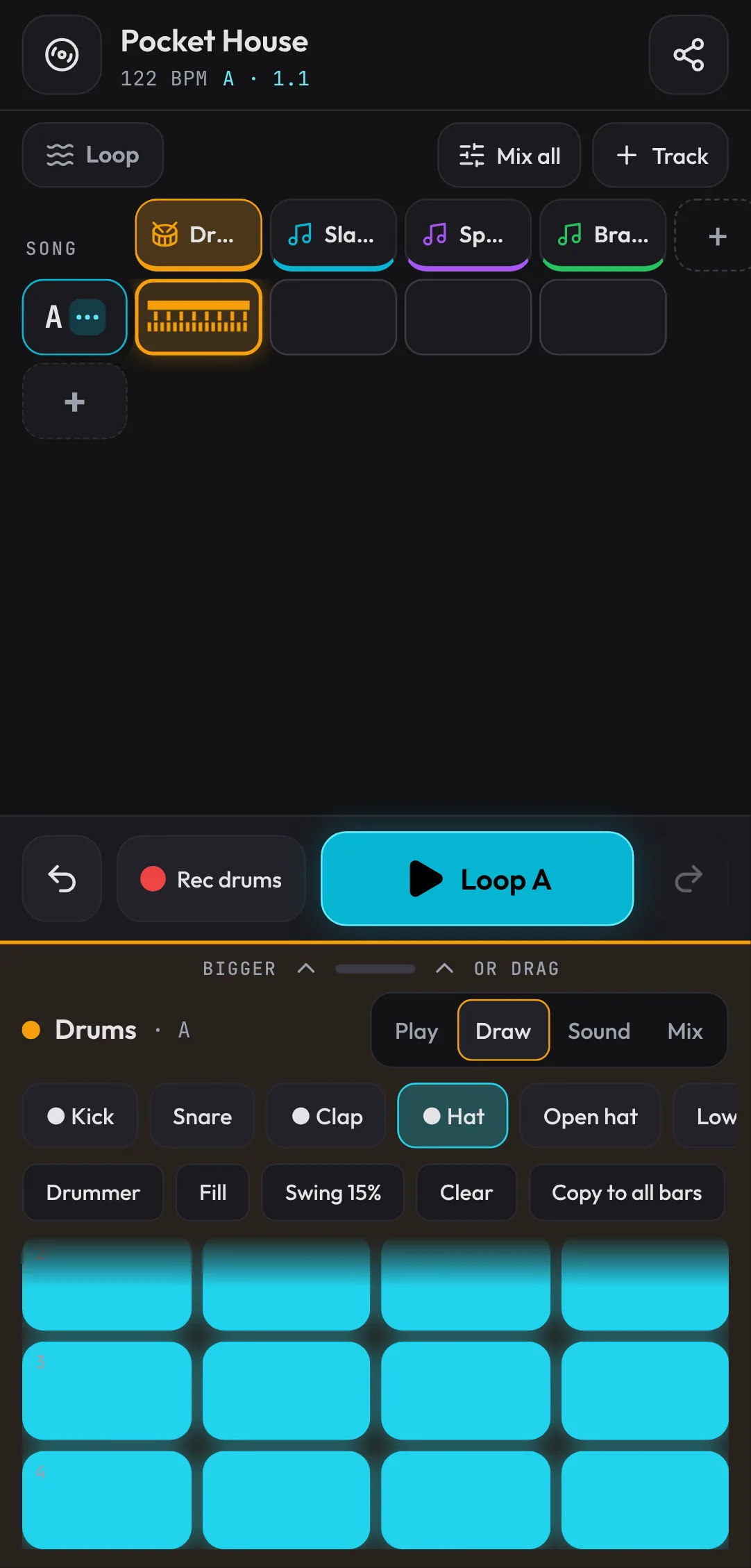
The pads play the kit too. Tap Rec drums under the grid, and pads you tap while the section plays are written in on the nearest 16th. Tap a wrong step again to take it out.
Then tap Fill and choose Snare roll (last beat): the end of the section now rolls into what comes next.
Chords in the key
- Tap the Space Clav cell in row A, then Draw. The drawer opens full: this is the piano roll, with a row for each note of A minor (and only those), so whatever you draw fits.
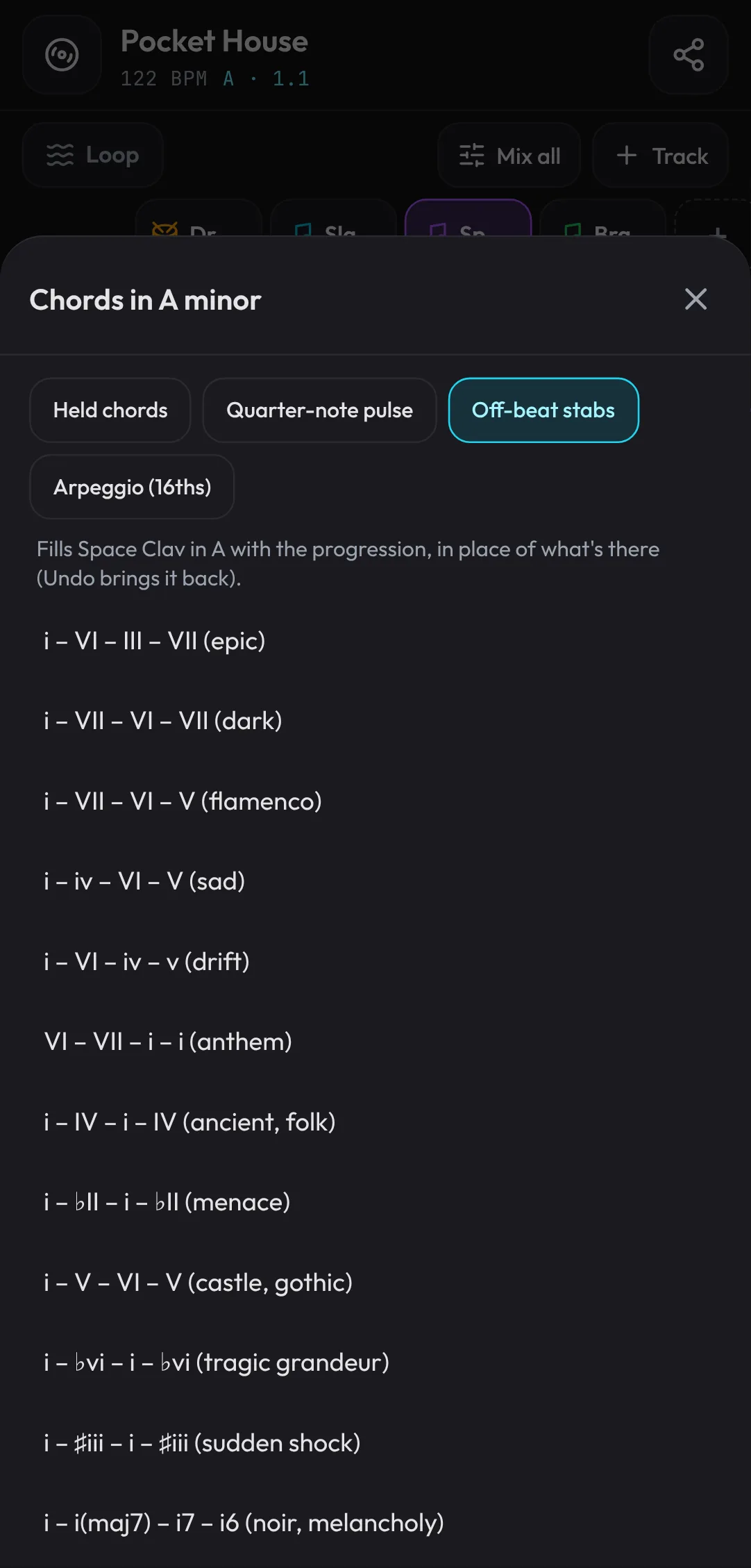
- Tap Chords. Pick the style Off-beat stabs, then i – VI – III – VII (epic).
Play it. The clav plays four chords, one a bar, on the off-beats: A minor, F major, C major, G major.
A bass line
- Tap Slap Bass in the names above the grid. The piano roll stays open, now for the bass.
- Tap 1/8 three times, to 1 bar: each note you draw is now a bar long.
- Tap the A2 row at the start of bar 1. Scroll sideways with two fingers (or by dragging the numbers along the top) and tap F2 at the start of bar 2, C3 at bar 3 and G2 at bar 4.
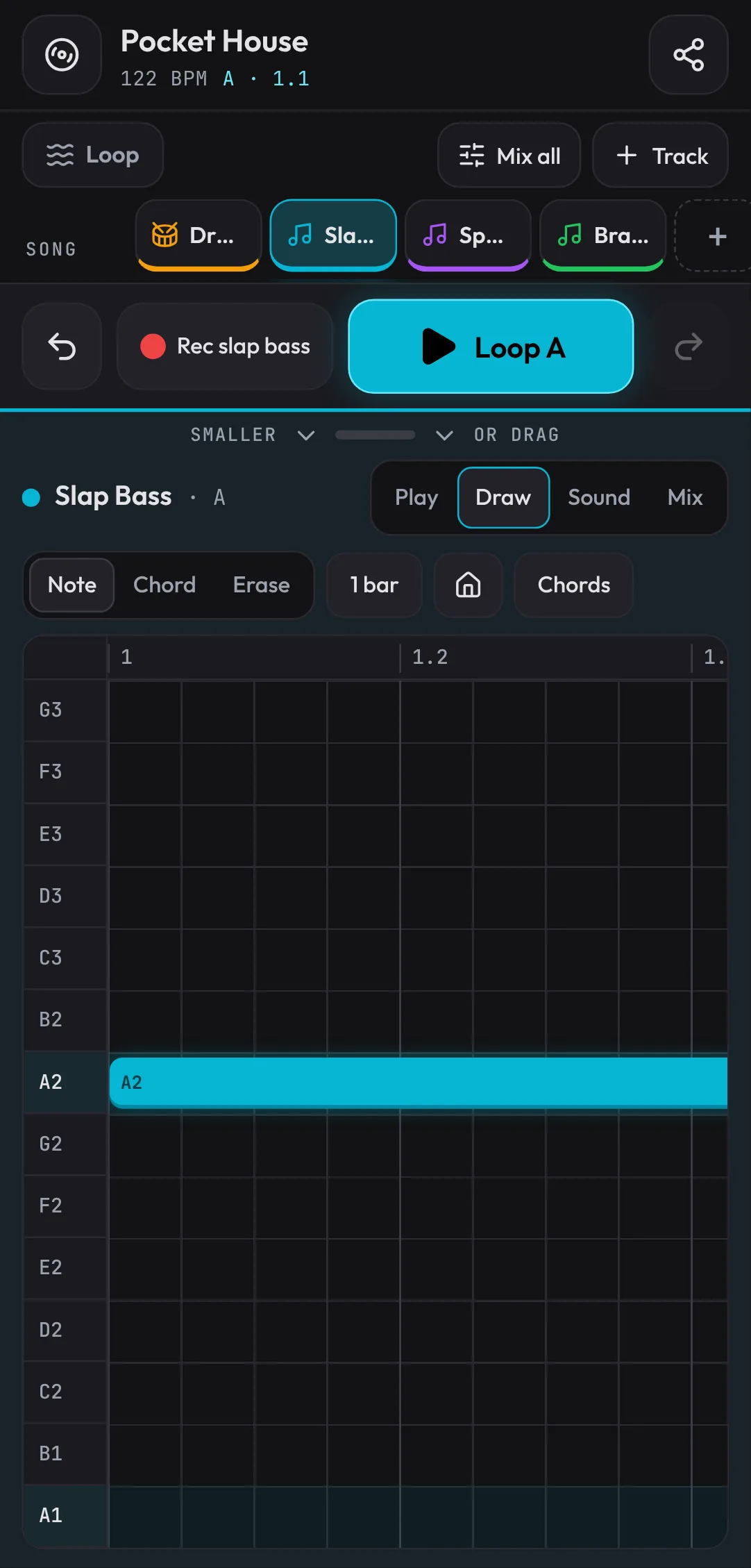
The bass now follows the chords' roots. Tap a note name to hear it on its own. Tap a note to select it: the bar above makes it shorter or longer, moves it a note up or down, copies it or deletes it. Drag a note to move it, or its right end to stretch it.
Tap Play in the drawer to leave the piano roll: the drawer goes back to its size, and the grid shows again.
Sing over it
You need headphones for this: without them, the microphone records the song from the speaker as well.
- Tap + Track above the grid, then Vocals. A Vocals track appears, and the drawer is its microphone.
- Tap Record (or Rec vocal under the grid), and allow the microphone when the phone asks. Pocket plays section A once, records you over it and stops by itself.
- Pick the voice's sound: Clean lead, Aggressive lead, Ad-lib, Phone / radio, Dark and wide or Backing stack.
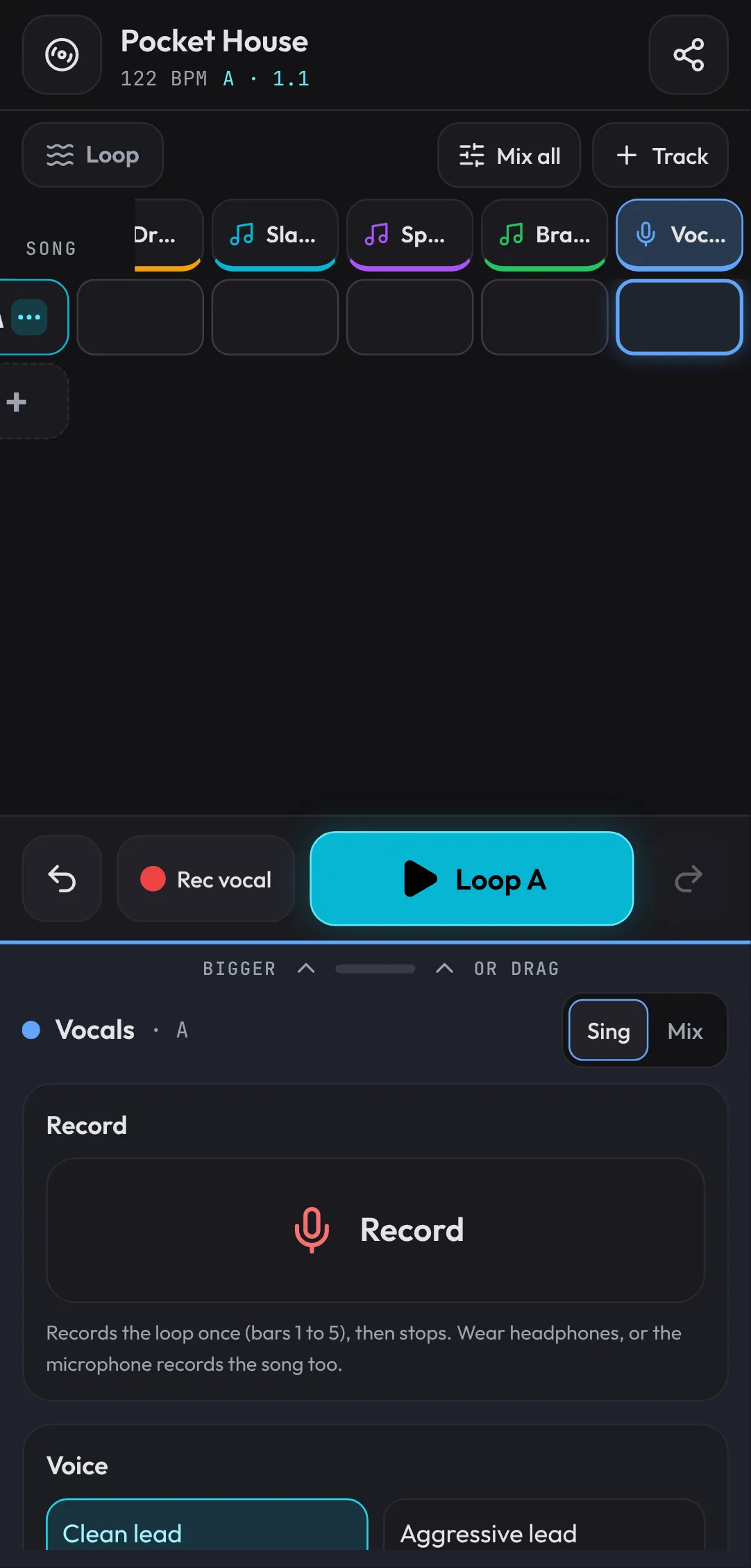
Each take in the Takes list has three buttons: double (two more performances either side, for a thicker vocal), tune (pitch correction to the key, from gentle to robotic) and delete.
Mix it
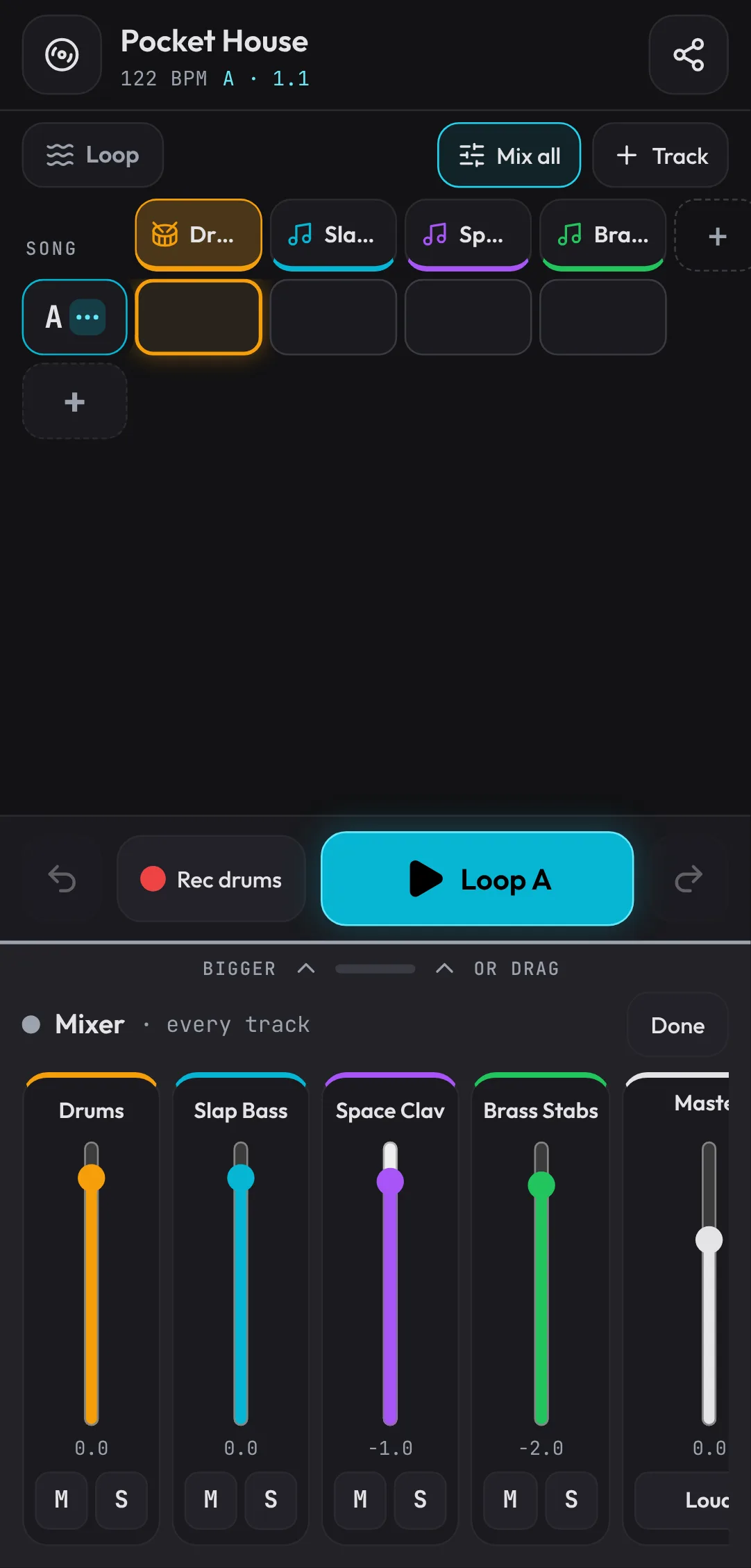
- Tap Mix all above the grid. The drawer becomes a mixer: a fader for each track, with M (mute) and S (solo).
- Pull the Space Clav fader down a little if the chords cover the vocal.
- The Master strip at the end sets the whole song, and Loud makes it louder with the peaks shaved.
- Tap Done. Each track's own Mix (in its drawer) also has its reverb; its Sound swaps the instrument for another of its kind, and the notes stay.
Arrange it
The section letters arrange the song. The one selected has a ⋯ on it: tap it again (or hold any letter) for what you can do from there.
- Tap A's ⋯, then Play it twice. A copy of A appears after it, and it's selected now.
- Tap its ⋯ and Play it twice again. The song is three A's, 12 bars. The copies are linked: change one and the others change too, until you Make it its own.
- Tap the third section's ⋯, then Build-up into it. A riser and a snare roll build through the bars before it, on two new tracks, and a hit lands on its first beat.
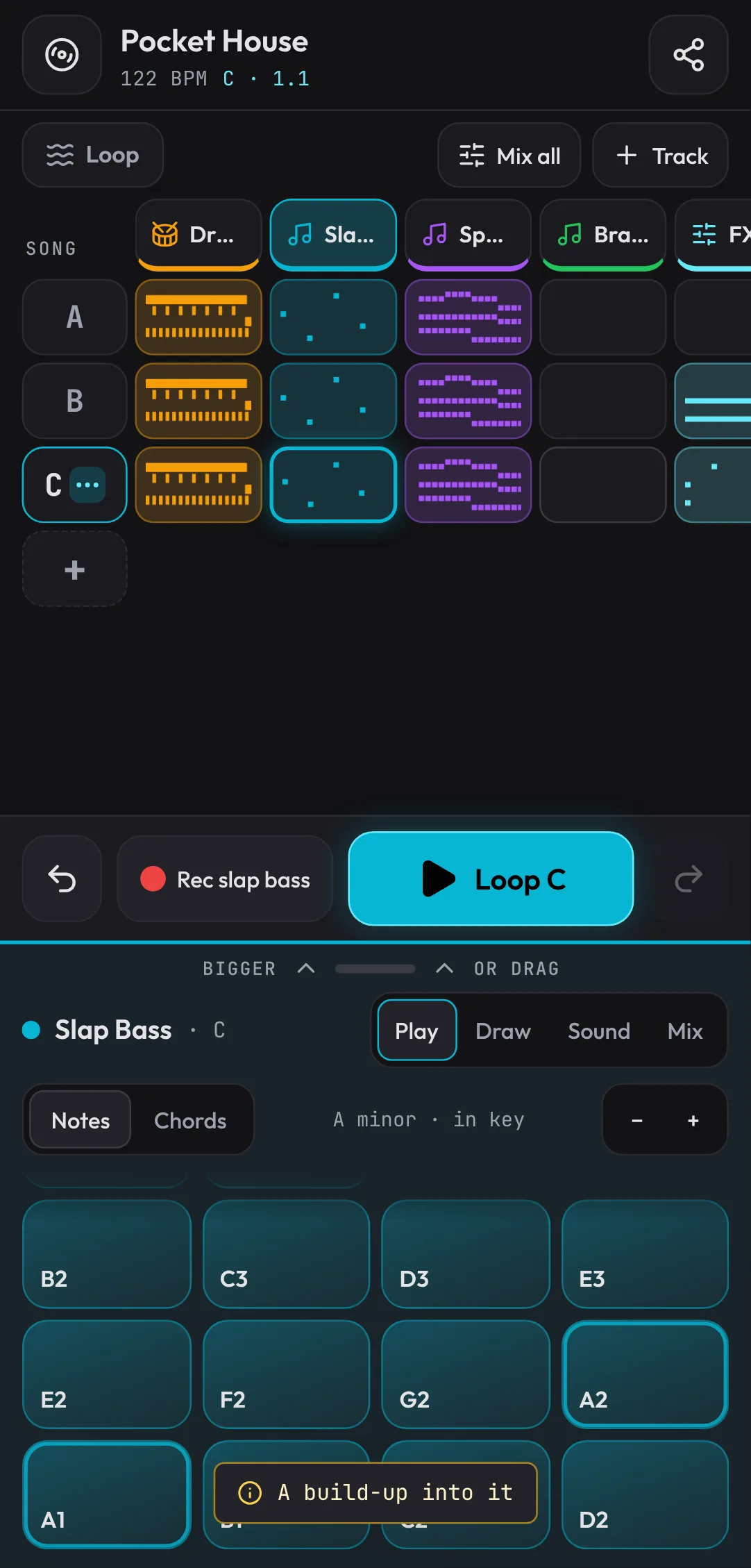
The letters change to A, B, C: sections that play the same thing share a letter, and the build-up made the second and third sections different. Tap Loop above the grid so it says Song, then Play: four bars to settle in, four bars of build-up, and the drop.
Share it
- Tap Share at the top right, then Export an MP3. Pocket plays the song through into an MP3, matched to the loudness streaming sites use, and hands it to the phone's share sheet (or saves it, on a phone without one).
- Share a link to the song sends a link that opens the song in Fledgetone, to hear and change. Recorded vocals aren't in links: use Save under Project file for those.
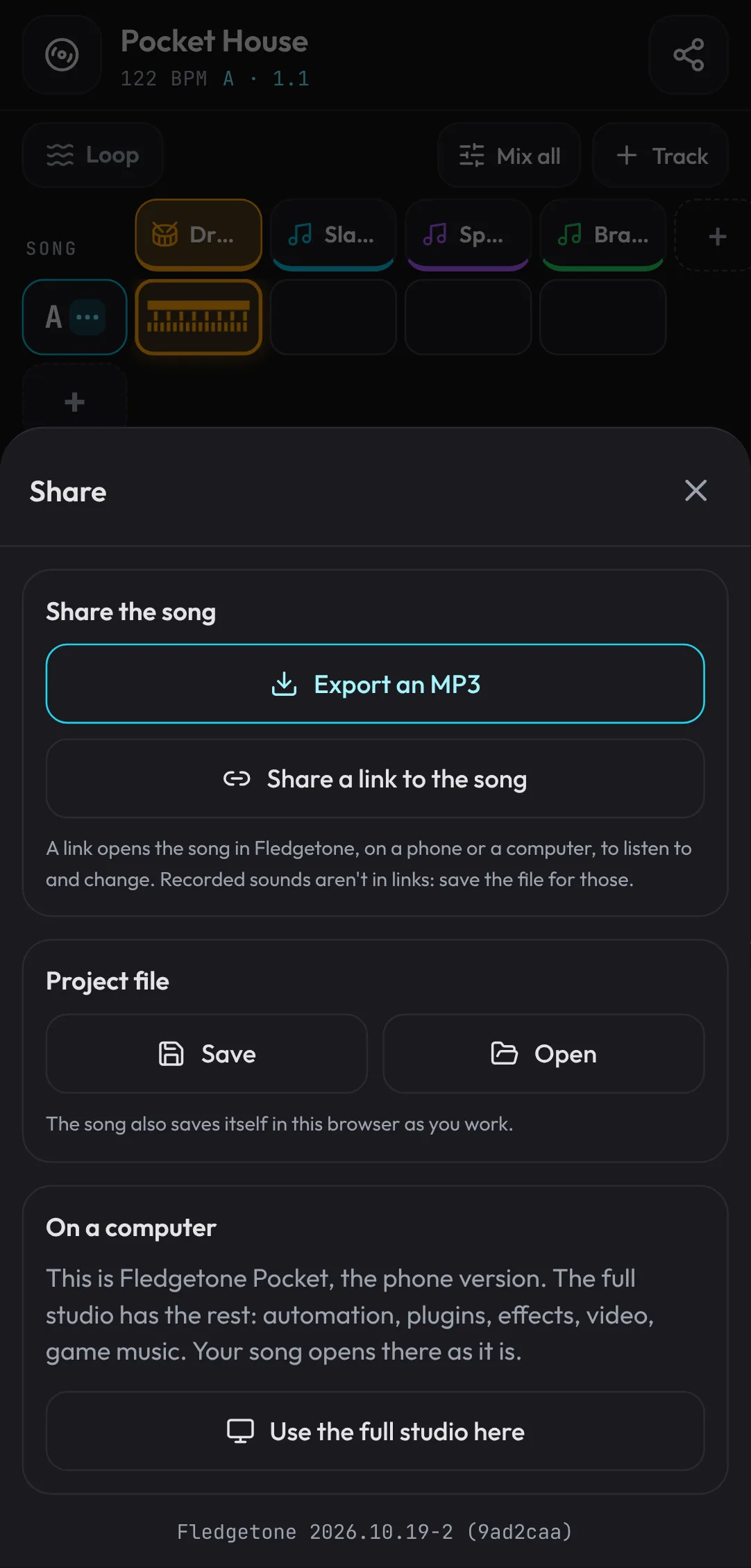
Then open the link on a computer. It opens in the full studio, every track and note where you left it (each section starts at a marker on the timeline), ready for the things Pocket doesn't have: automation, plugins and the full mixer. Use the full studio here (in the song's settings) switches this device to the studio too, and Help › Pocket, the phone version in the studio switches back.
What's next
You've made a whole song on a phone: a tapped-in beat, chords and bass in key, a vocal, a mix, a build-up and an MP3. Take it to a computer and carry on in the studio: Arrange a full song shows how to turn these 12 bars into an intro, verses and choruses, and Make your first beat does the beat in more depth.
Open the song from this lesson, made in Pocket and opened in the studio:
Open the example in the studioPocket House, the song from this lesson.