
Learn Lesson 6
Mix and master
Mixing is making every part of a song heard: nothing buried, nothing poking out, the low end solid. In this lesson you'll take the Lo-Fi starter, flatten its mix and build it back up the way a mix engineer works: levels, panning, EQ, compression, reverb and delay, a drum bus, and last of all the master. Every move comes with exact values. Open the studio in another tab and follow along.
Open the song and the Mixer
- File › New… and click Lo-Fi.
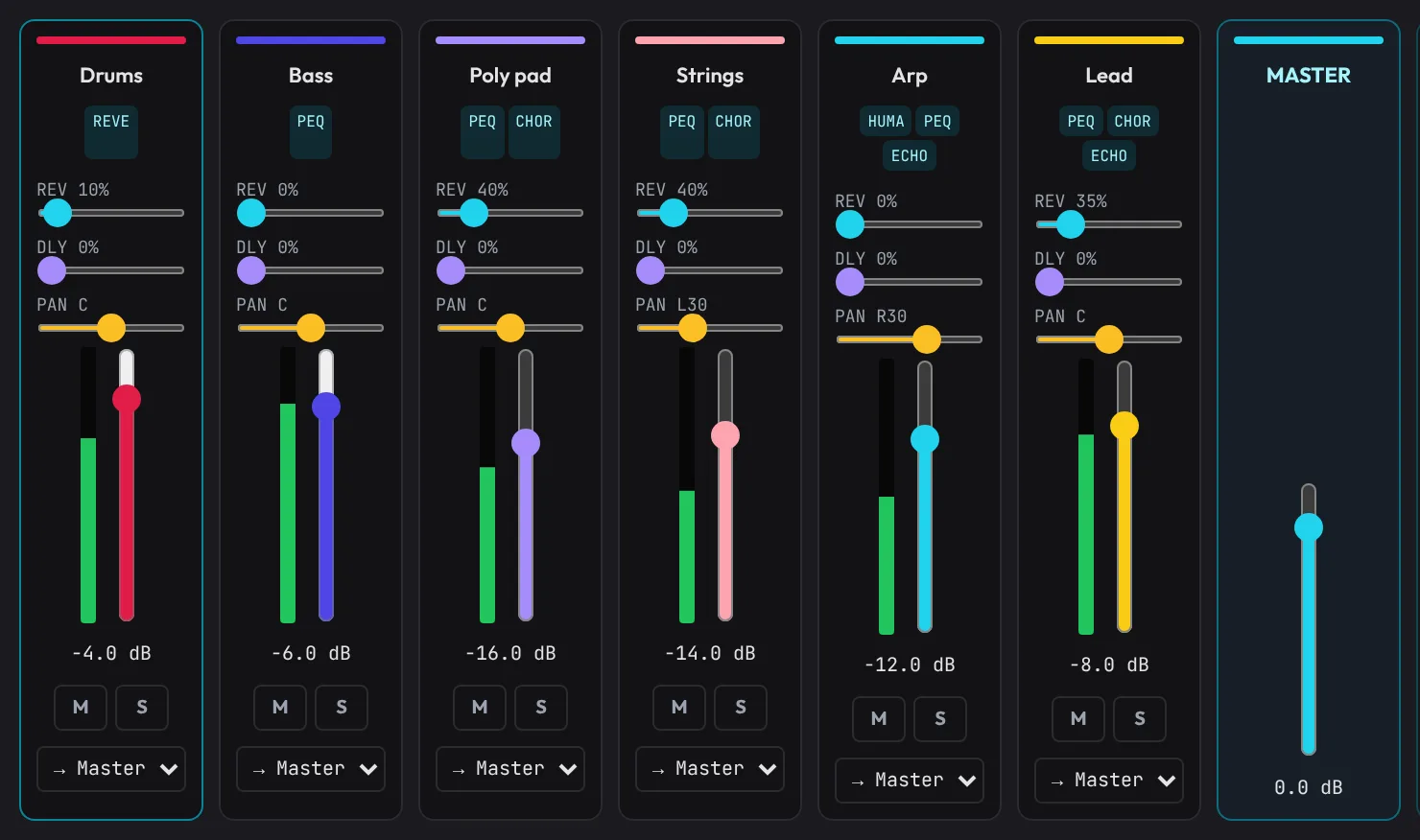
- Click the Mixer tab in the bottom panel. Each track has a strip: the REV and DLY sends, PAN, a meter and a fader.
- Click FX Rack in the toolbar to open the Inspector on the right. Click a track's name in the Mixer to show it there.
Levels first
Most of a mix is the faders. Get the balance right and the rest is polish.
- Double-click each of the five faders in the Mixer. Each jumps to 0 dB. Press Space: the keys and the rain smother the flute and the drums lose their punch.
- Click M on every strip except Drums, so you hear the drums alone.
- Set the faders to these levels, unmuting one track at a time in this order. Drag a fader and read its level under it; for fine steps, click it and use the arrow keys (0.5 dB a press).
| Track | Fader | Why |
|---|---|---|
| Drums | -4 dB | the loudest part: the kick and snare carry the groove |
| Bass | -6 dB | just under the kick, so both are heard |
| Flute | -10 dB | the melody, in front of the chords |
| Keys | -12 dB | the chords: a bed for the flute |
| Rain | -24 dB | furthest back: felt more than heard |
Start with what drives the song (drums and bass), then the main part (the flute), then fill in around it, each part just loud enough to notice.
Pan the parts apart
Two parts in the middle cover each other. Panning gives each its own place across the speakers.
- Drag the Keys strip's PAN to the left until it reads L30.
- Drag the Flute strip's PAN to the right until it reads R20.
- Leave Drums, Bass and Rain in the middle (C). The low end and the melody belong there, so they stay strong on a phone speaker.
EQ: cut what each part doesn't need
Every part makes sound below its own notes: rumble and mud that crowd the bass. EQ is mostly cutting, not boosting, with the Pro EQ in each track's Inspector.
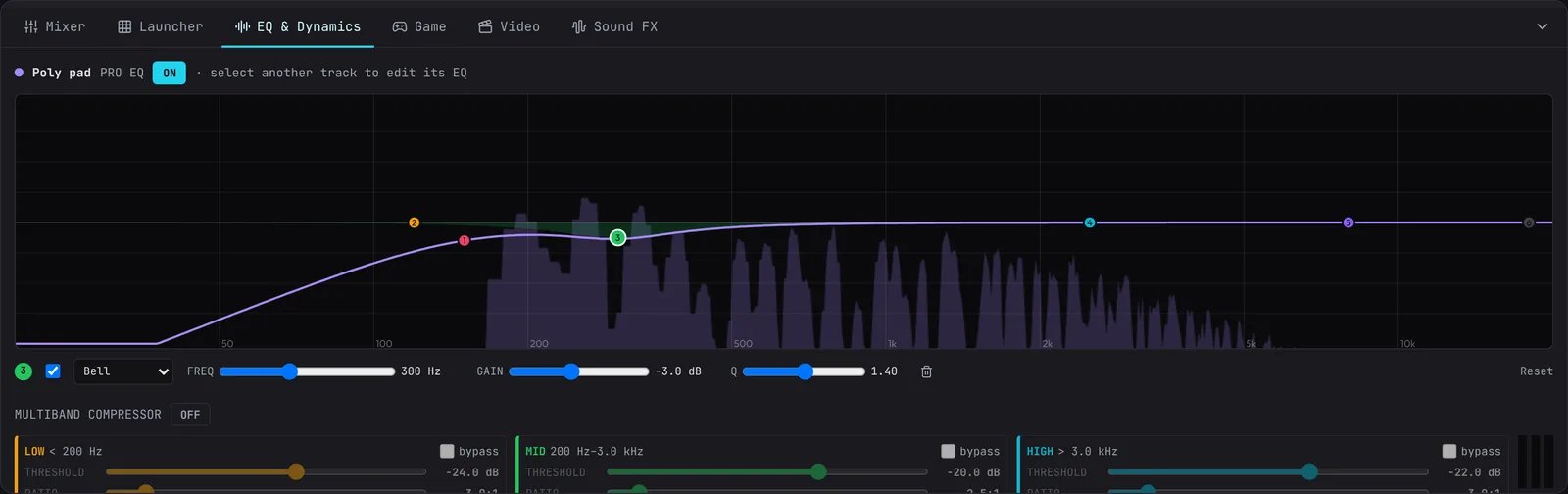
- Click Keys in the Mixer and scroll the Inspector to PRO EQ. Make sure its switch reads ON, then click Reset under the graph for flat starting bands.
- Click a numbered dot to pick a band; its shape, FREQ, GAIN and Q show under the graph. Drag the dot sideways for frequency and up or down for gain, or use the sliders.
- Set the bands below, then do the same for Flute and Rain. Band 1, the Low cut, starts off: tick its box.
| Track | Band | Shape | Setting | What it does |
|---|---|---|---|---|
| Keys | 1 | Low cut | 150 Hz | takes away the rumble under the chords |
| Keys | 3 | Bell | 300 Hz, -3 dB, Q 1.4 | less mud in the low mids |
| Flute | 1 | Low cut | 250 Hz | the melody without boom |
| Flute | 4 | Bell | 2.5 kHz, +2 dB | a little presence, so it comes through |
| Rain | 1 | Low cut | 300 Hz | the hiss without its rumble |
Leave Drums and Bass alone: they own the low end. Open big shows the EQ in the EQ & Dynamics tab, with the track's sound drawn behind the curve while it plays.
Make space under the Mixer strips makes moves like these for you, on any song.
Compress the bass
A compressor turns the loudest moments down, so a part stays even. Bass lines benefit most: every note should feel equally heavy.
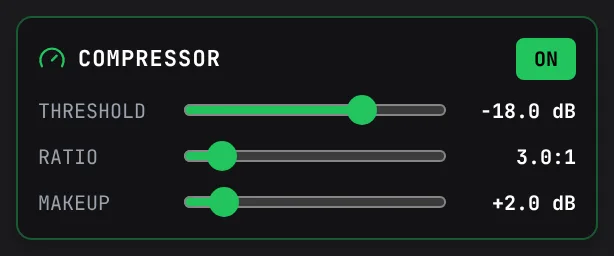
- Click Bass in the Mixer and find COMPRESSOR in the Inspector. Click OFF to switch it on.
- Set Threshold to -18 dB: the level above which it starts turning down.
- Set Ratio to 3:1: how hard it turns down. 2:1 to 4:1 evens a part without squashing it.
- Set Makeup to +2 dB to win back the level it took.
Switch it off and on while the bass plays: with it on, the bass sits steadier under the drums.
Reverb and delay sends
Reverb puts a part in a room; delay gives it echoes in time. Each strip's REV and DLY sliders send some of the track to the shared Master Reverb and Ping-Pong Echo, so all the parts share one space.
| Track | REV | DLY |
|---|---|---|
| Drums | 10% | 0% |
| Bass | 0% | 0% |
| Keys | 30% | 0% |
| Flute | 35% | 20% |
| Rain | 30% | 0% |
Then open the Inspector's Master tab, scroll down to PING-PONG ECHO DELAY and click 1/8D: a dotted-8th echo that drifts behind the flute.
A bus for the drums
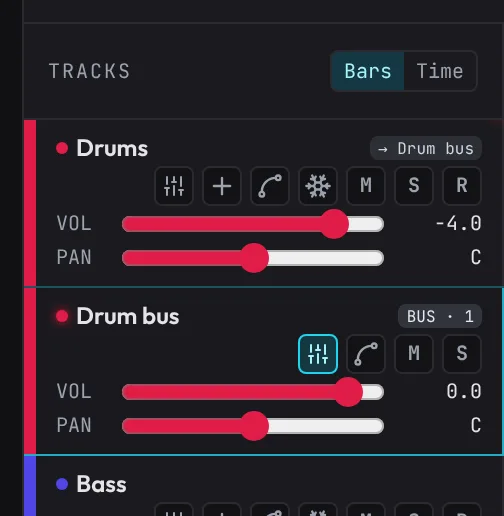
A bus is a track that other tracks play into, so they share one fader and one set of effects.
- Choose Track › Bus preset: Drum bus.
A Drum bus appears under Drums, whose header now says → Drum bus. The preset gives it glue compression (Threshold -16 dB, Ratio 4:1) and a little Saturation, so the kit hits as one. Every drum track goes through it, and its fader turns the whole kit up or down.
See Buses for the other presets and routing by hand.
The master
Everything goes through the master on its way out. Open the Inspector's Master tab, click 5 on the ruler and press Space: the song plays from bar 5, where the full beat comes in.
- Loudness at the top measures the song as streaming services do, in LUFS. Watch Since Play: everything since you pressed Play.
- Set Glue, the master compressor, to Gentle: it holds the mix together without pumping, which suits a slow, soft song.
- Switch OTT ON and set Depth to 20%. It squeezes the lows, mids and highs separately, for a denser, brighter mix. A little goes a long way.
- Set Stereo Width to 120%, with Keep the bass in the middle ticked.
- Use Level to turn the whole mix up or down just before the limiter, until Since Play reads around -14 LUFS, where streaming services play. A soft song like this one needs a few dB more than 0.
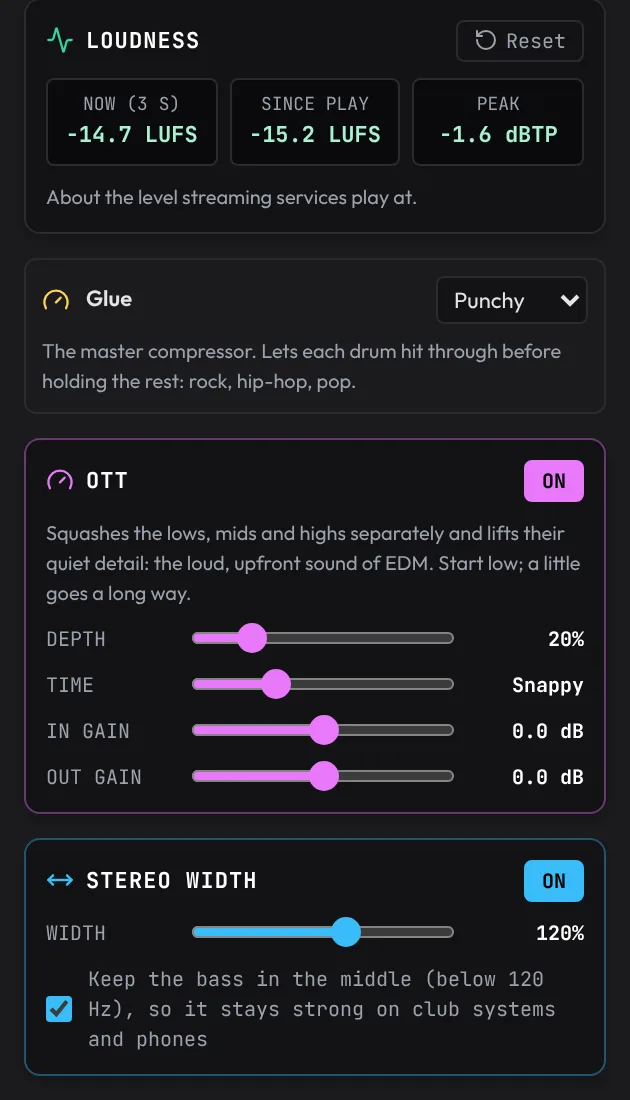
The limiter at the very end keeps the true peak under -1 dBTP, so the song never clips.
What to listen for
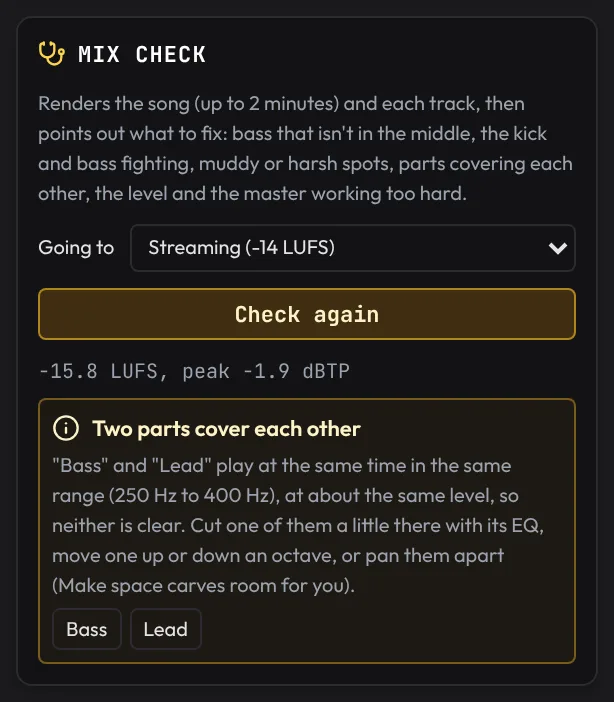
Ears get used to a mix in minutes. Near the bottom of the Master tab, the Mix check listens for you.
- Set Going to to Streaming (-14 LUFS) and click Check the mix. It renders the song and each track and says what to look at.
- If it flags two parts covering each other (the bass and the keys in the low mids are the usual pair), click the one that matters less in the Mixer, then Track FX, pick a free band on its Pro EQ and dip it -3 dB at the frequency the check names. Back on the Master tab, click Check again.
Then listen for yourself:
- The low end: are the kick and bass two things? If they blur, try a PUMP on the bass following the kick.
- The melody: can you follow the flute without straining?
- Small speakers: on a phone, does the bass vanish?
- A reference: load a song you like under Reference and flip between it and yours with A / B, at the same loudness.
Louder, for the club
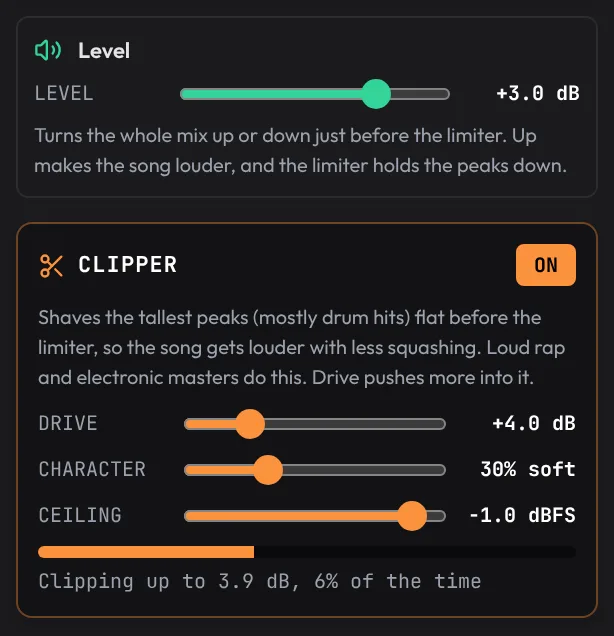
Club and EDM masters sit around -9 LUFS. Turn Level up a few dB more and switch the Clipper on with Drive at +4 dB: it shaves the tallest drum peaks flat before the limiter, so the mix gets louder with less squashing. Past 3 to 4 dB on its meter it sounds crunchy.
Export at the right loudness
In the Export dialog, tick Match a loudness target and pick where the song is going: Streaming (-14 LUFS), Loud: club and EDM (-9 LUFS), Games (-16 LUFS) and more. The file is turned to that level as it renders. Export, share and finish covers every choice.
What's next
You've set levels, panned, EQ'd, compressed, added space, bussed the drums and mastered for streaming. More in the guide: Mixing and effects. Next, add a voice: Record and polish vocals.