
Learn Lesson 3
Chords and a melody
In this lesson you'll write eight bars of music in A minor: four chords (Am, F, C and G), a piano part that follows them, a four-bar tune and a second four bars that answer it. You don't need to read music or know any theory. Open the studio in another tab and follow along.
Keys and scales in plain words
A scale is a set of seven notes that sound good together. The key is the scale plus its home note, the one the music wants to come back to. A minor uses only the white keys of a piano, A B C D E F G, with A as home. It sounds a little serious or wistful. C major uses the very same white keys but treats C as home, so it sounds brighter.
A chord is three or more notes played together. The simplest kind, a triad, stacks every other note of the scale: start on A, skip B, take C, skip D, take E, and you have A minor (A C E). Start on F instead and you get F major (F A C). Every chord in this lesson is built that way, so every one of them fits the key.
Start with a blank timeline
- Open the File menu and choose New….
- Click Blank timeline. You get four empty tracks: Drums, Slap Bass, Space Clav and Brass Stabs.
Make the chords
Fledgetone's Chord progression helper writes a chord part from a few choices. It follows the usual rules of harmony; you pick the key and the shape of the progression.
- Right-click the Space Clav track's lane (the empty row to the right of its name), right at the start of bar 1.
- Choose Chord progression….
- Set Key to A and minor.
- Set Progression to i – VI – III – VII (epic). The line near the bottom now reads Am – F – C – G.
- Leave Each chord lasts on 1 bar, Times through on 2× (8 bars) and Played as on Held chords.
- Click Make clip at bar 1.
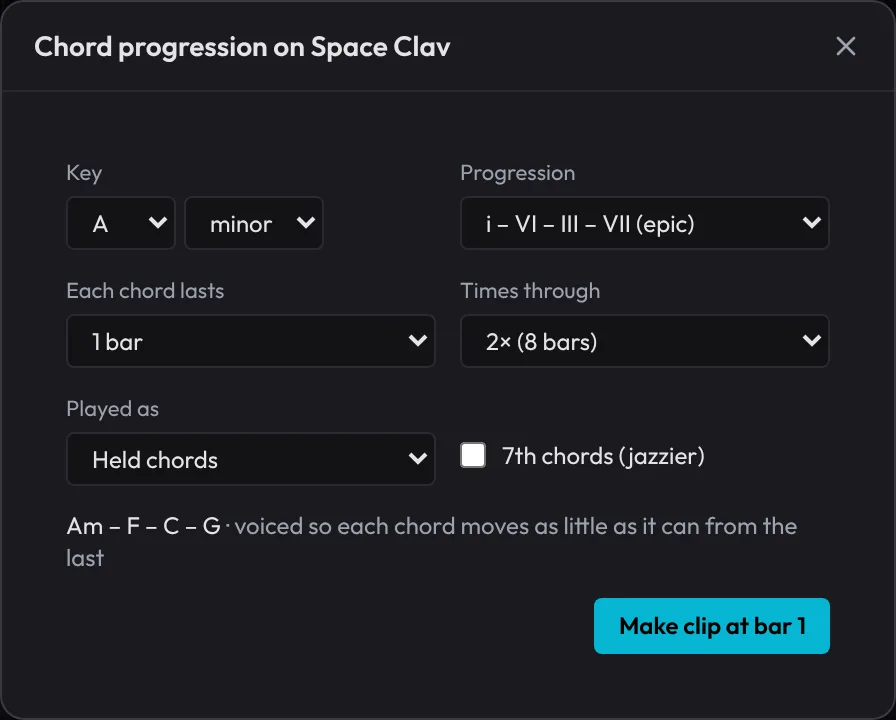
A purple clip called Am F C G appears, eight bars long. Press Space to hear it. These are the notes it wrote, one chord a bar, then the same four again:
| Bar | Chord | Notes (low to high) | Roman numeral in A minor |
|---|---|---|---|
| 1 | Am | A3, C4, E4 | i (home) |
| 2 | F | A3, C4, F4 | VI |
| 3 | C | G3, C4, E4 | III |
| 4 | G | G3, B3, D4 | VII |
The helper voices the chords so each one moves as little as it can from the last: C4 stays put for the first three chords, and the other notes only step up or down. That's why they sound smooth rather than jumping about.
See the key in the piano roll
- Double-click the Am F C G clip. Its notes open in the piano roll under the timeline.
- Find SCALE in the piano roll's header. Set the first menu to A and the second to Minor.
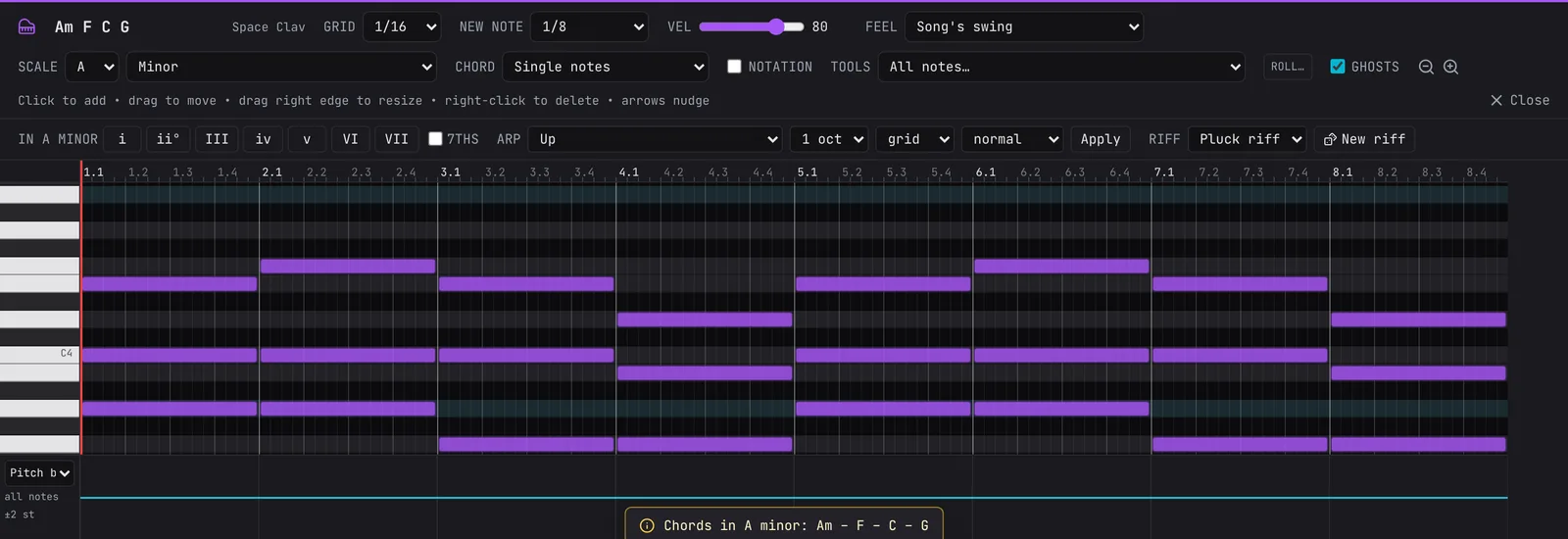
The rows for notes outside A minor (the black keys) go dark, and every A is lit. While a scale is set, a click in the grid lands on the nearest note of the key, so you can't hit a wrong note by accident.
Next to SCALE is CHORD. Set it to Triad in key and a single click adds a whole chord built from the note you click: click a D and you get D minor (D, F, A). That's how to write your own chords by hand. Set it back to Single notes when you're done, and see the piano roll guide for every option.
Add an accompaniment
Held chords are a good start, but a part that moves gives the music a pulse.
- Right-click the Am F C G clip on the timeline.
- Choose Accompaniment for these chords….
- Pick Alberti bass (low, high, middle, high in 8th notes, the classic left-hand piano pattern). It suggests Concert Grand (Real) under On: keep it.
- Click Make the track.
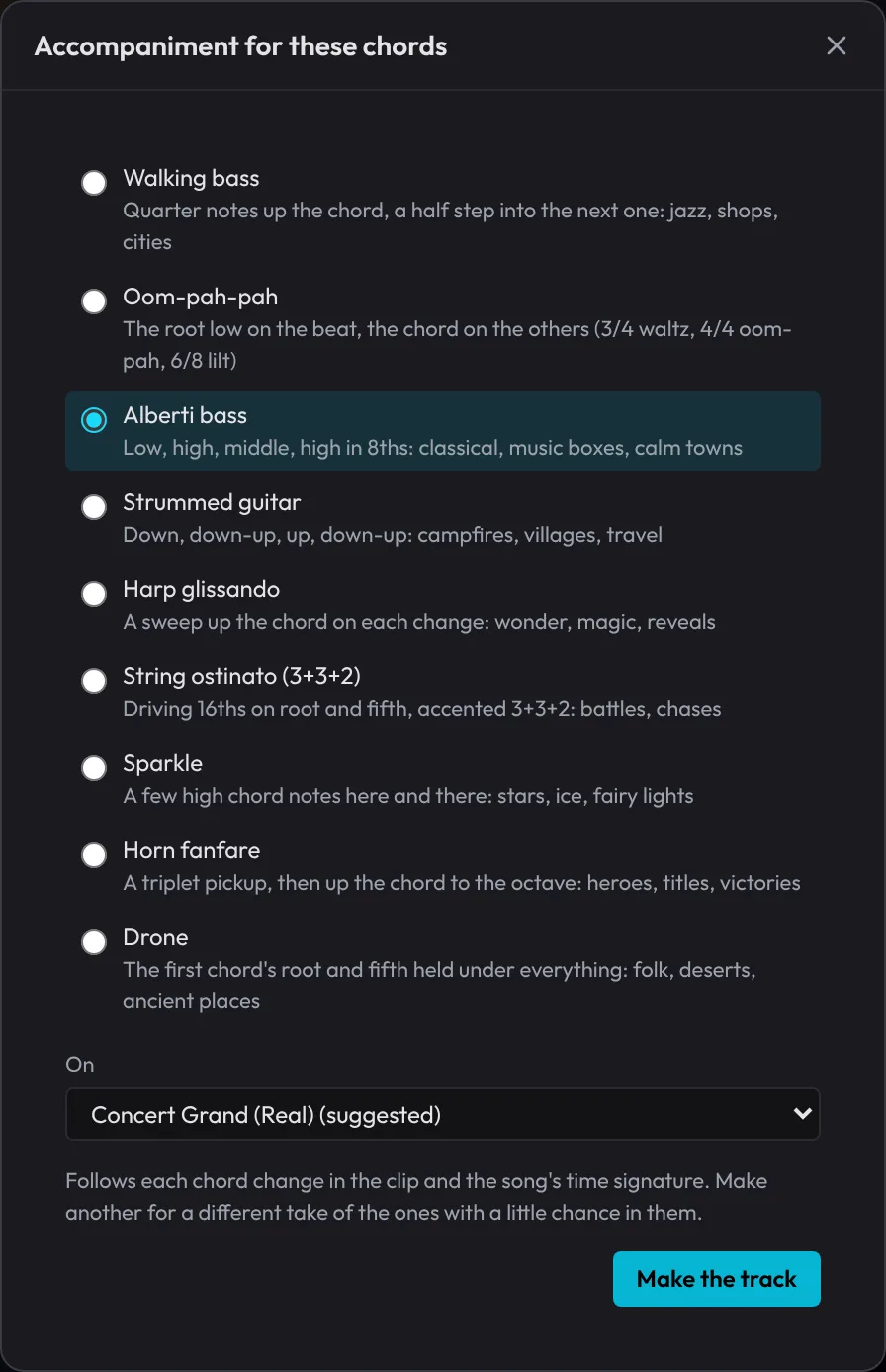
A new Alberti bass track appears under the chords, following each chord change. The first time, the piano downloads its recorded sounds, so give it a moment. The Track Inspector also opens on the right for the new track; close it with the X at its top right when you want the room back.
Write a melody on the chord notes
Here's the one rule that makes a tune fit its chords: on the strong beats (1 and 3), play a note of the chord. In between, any note of the key will do; those in-between notes lead the ear from one chord note to the next.
- Click + Add Track under the last track, type pluck and press Enter. A Pluck track appears.
- Right-click the Pluck lane at bar 1 and choose New empty clip (4 bars). It opens in the piano roll.
- Set SCALE to A and Minor, as before.
- Set NEW NOTE to 1/4, so each click makes a note one beat long.
- Click in these notes, one per beat. The keyboard on the left labels each C (C5 is the C above middle C); scroll it up or down to find the rest.
| Bar (chord) | Beat 1 | Beat 2 | Beat 3 | Beat 4 |
|---|---|---|---|---|
| 1 (Am: A C E) | E5 | D5 | C5 | D5 |
| 2 (F: F A C) | A4 | C5 | F5 | E5 |
| 3 (C: C E G) | E5 | D5 | C5 | G4 |
| 4 (G: G B D) | B4 | C5 | D5 | rest |
The bold notes are chord notes, right on beats 1 and 3. The others step between them. The last bar ends on D, which isn't home, so the tune sounds as if it's asking a question.
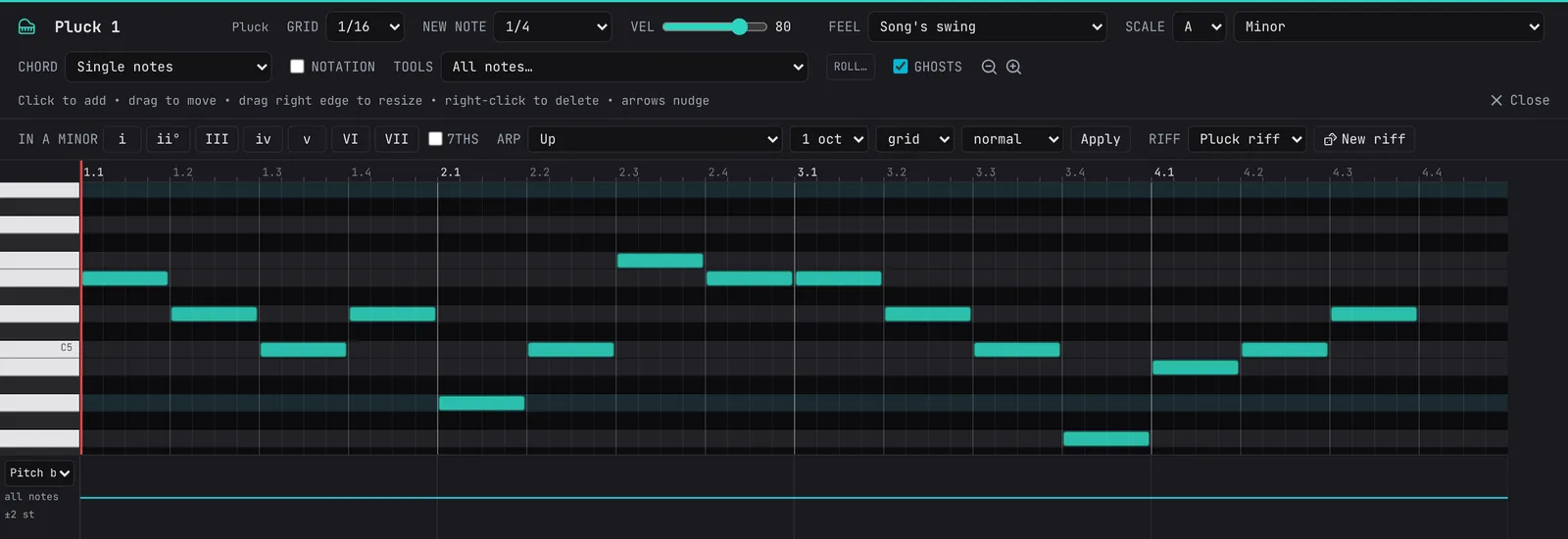
Press Space to hear it over the chords. GHOSTS (ticked) shows the other tracks' notes as faint outlines; scroll the piano roll down and you'll see the chord notes sitting under your tune.
Let the melody helper answer it
A question wants an answer. The Melody variations helper rewrites a tune by fixed rules: the same rhythm, mirrored, simplified, a harmony above it and so on. Every note moves by the scale's own steps, so the result stays in key.
- Right-click the Pluck 1 clip on the timeline and choose Melody variations….
- The Key shows what the app guessed from the notes, probably C major. A minor and C major share the same notes, so set it to A and minor: the tune feels like A minor.
- Choose Answer phrase.
- Leave Put it on after it, on its track, and click Make it.
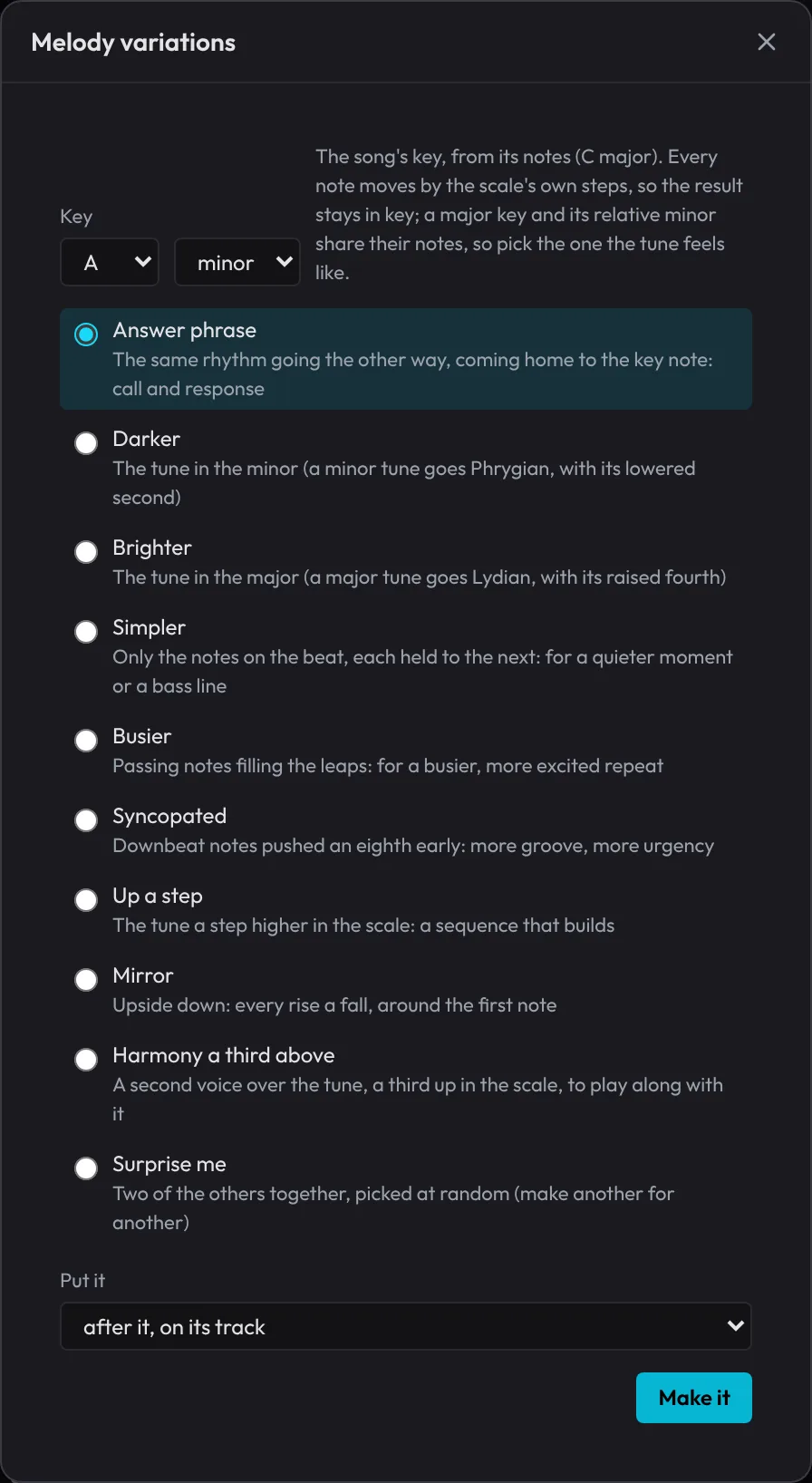
A clip called Pluck 1 (answer phrase) appears in bars 5 to 8: the same rhythm going the other way, and it comes home to A at the end. Try the others too (Harmony a third above with on a new track under it is a quick way to thicken a tune). Each one is a single Ctrl+Z to undo.
Listen to all eight bars
- Press L to turn the loop off (or click the Loop button in the toolbar).
- Press Home to go back to the start, then Space.
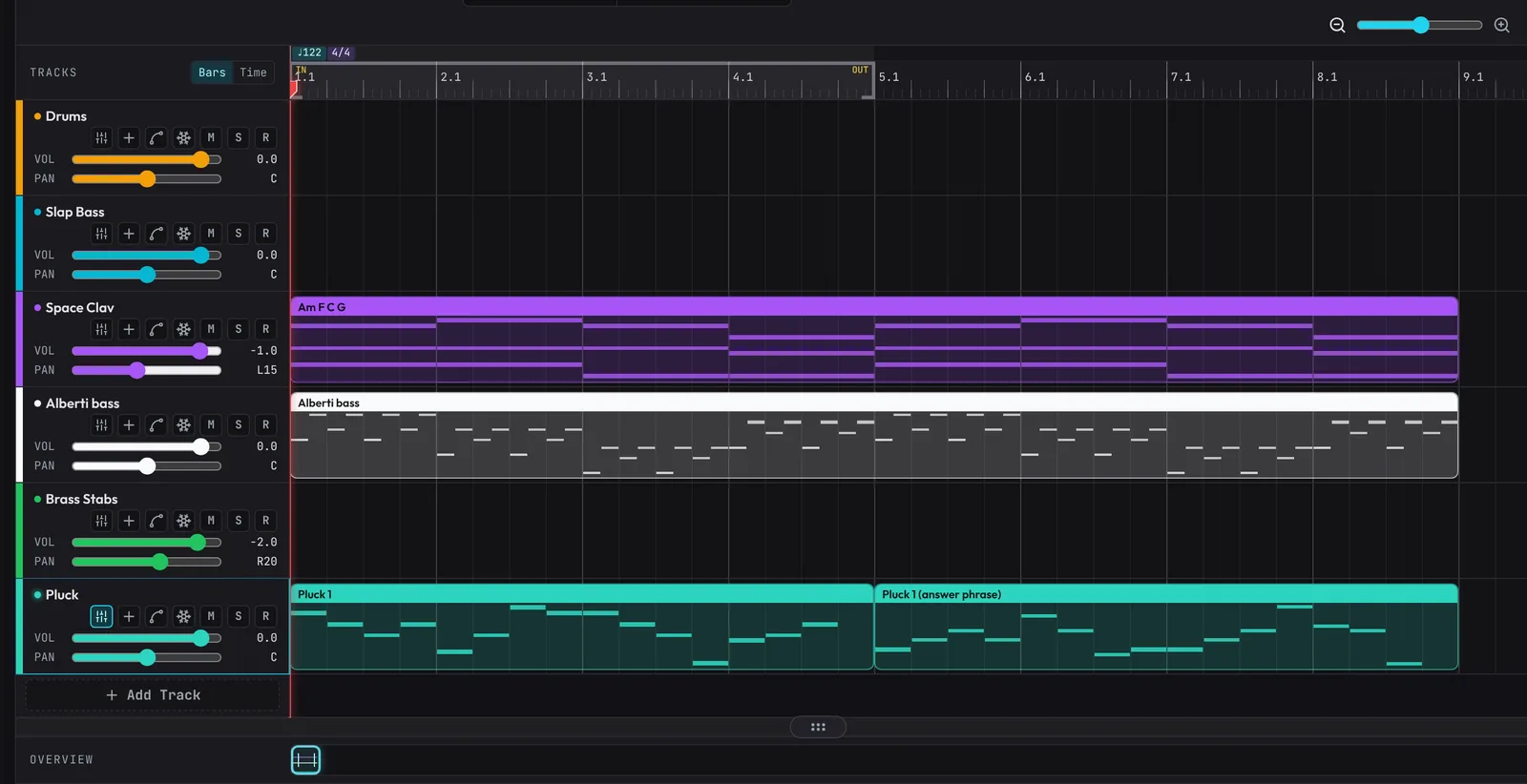
You should hear the chords and the piano throughout, your tune in bars 1 to 4, and the answer in bars 5 to 8, landing home on A.
What's next
You've picked a key, laid down chords, added an accompaniment and written a tune with an answer. Next, give it a low end: Bass lines and 808s.
Open the example in the studioAm – F – C – G with an Alberti bass, the tune and its answer phrase.